I will extract structured data from PDFs and invoices via a document OCR API
 Instant
About this gig
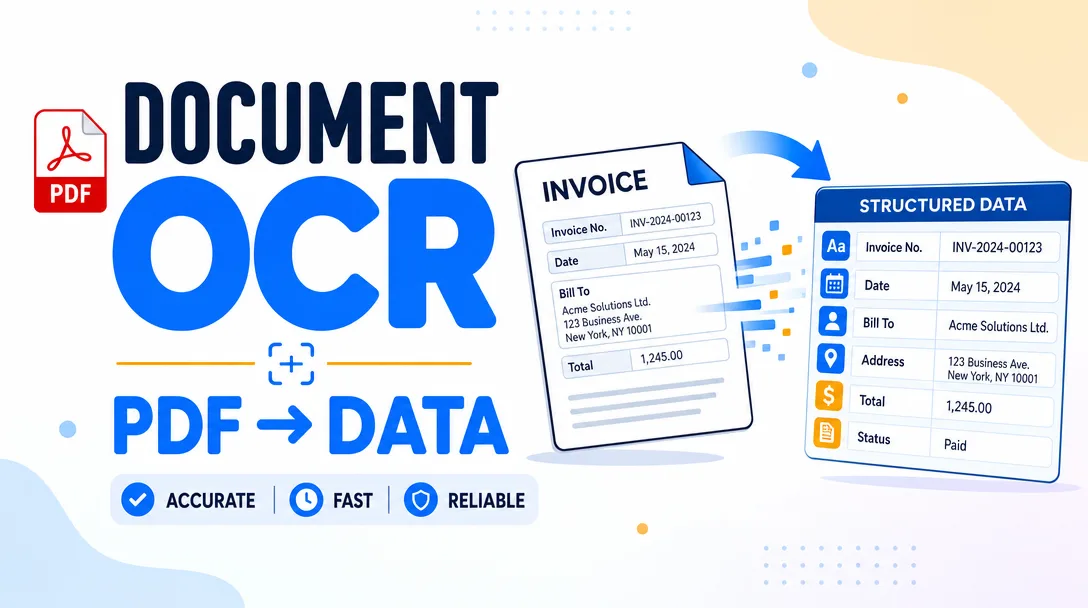
Turn messy PDFs, scanned invoices, and receipts into clean structured JSON with a single API call. Get an instant key, POST a document, and receive named fields back in seconds — no training, no templates, no manual review queues.
What you get
- A single document OCR + extraction endpoint. POST a PDF, PNG, JPEG, or TIFF (by file upload or URL) and receive structured fields back as JSON. The response includes the extracted key-value pairs, the raw text layer, and a per-field confidence score so you know what to trust and what to route to a human.
- Instant API key. Your key and the base endpoint URL are issued the moment your order is confirmed — no sales call, no onboarding wait, no provisioning delay. Authenticate with a standard bearer token in the
Authorizationheader. - Structured field output for common document types. Invoices, receipts, purchase orders, and similar business documents return the fields you actually need: vendor/supplier name, invoice number, issue and due dates, line items, subtotal, tax, and total. General PDFs return full text plus key-value pairs detected on the page.
- Per-page billing, billed by usage. You are billed per page processed — a 1-page receipt counts as one page, a 12-page contract counts as twelve. No seats, no idle subscription weight for documents you never send.
- Synchronous JSON responses. For typical single- and few-page documents the call returns inline, so you can wire it straight into a request/response flow without building a polling loop.
- Multi-page PDF handling. Send a multi-page PDF in one request; each page is OCR'd and the extracted content is returned page-by-page in the response body.
- Confidence scores on every field. Each returned value carries a confidence number. Use it to auto-accept high-confidence extractions and flag the rest for review — the foundation of any straight-through-processing pipeline.
- Language-agnostic OCR. The text layer recognizes printed text across major Latin-script languages, so multilingual invoice runs do not need separate handling.
- Clear HTTP semantics. Standard status codes, JSON error bodies with machine-readable codes, and predictable rate-limit headers so your retry and backoff logic stays simple.
Plans
All tiers hit the same endpoint with the same response schema. The difference is monthly page volume and the throughput / support that comes with it.
| Tier | Best for | Included |
|---|---|---|
| Starter | Prototyping, side projects, low-volume internal tools | Instant key, full extraction endpoint, low monthly page allotment, standard request rate, JSON + confidence scores, email support |
| Growth | Production apps with steady invoice/receipt flow | Higher monthly page volume, raised request rate for batch runs, multi-page PDF priority, faster-queue email support |
| Scale | High-throughput AP automation, document-heavy platforms | Large monthly page volume, top request rate, burst headroom for end-of-month spikes, priority support and integration help |
Need more pages than Scale includes? Volume beyond a tier's allotment continues to be billed per page at that tier's usage rate — your pipeline never hard-stops mid-run.
How it works
- Order the tier that matches your expected monthly volume. Pick Starter to evaluate, or Growth/Scale if you already know your throughput.
- Receive your API key and endpoint instantly. Both arrive on confirmation. There is nothing to install — it is a hosted HTTPS endpoint you call from any language.
- Send your first document. POST a file (or a URL to one) with your key in the
Authorizationheader. Acurlone-liner is enough to confirm it works. - Read the structured JSON back. Pull the fields you need — invoice total, due date, line items, vendor — plus the raw text and confidence scores.
- Wire it into your flow. Gate on confidence: auto-post high-confidence results, route low-confidence ones to a reviewer. Loop over pages for multi-page PDFs.
- Scale by sending more volume. No code change to grow — usage is metered per page and your tier governs rate and allotment.
Why choose this
- Truly instant access. Most "enterprise" document AI hides behind demos and procurement. Here the key is live the moment you order, so you can be parsing real invoices the same hour.
- Structured fields, not just raw OCR. Plenty of OCR returns a wall of text and leaves the parsing to you. This returns named fields — invoice number, total, dates, line items — so you skip the regex-and-heuristics layer entirely.
- Confidence-scored output built for automation. Field-level confidence is what makes unattended, straight-through processing safe. It is in the response by default, not an add-on.
- Per-page pricing that matches reality. You pay for pages you actually process. A quiet month costs little; a heavy month scales linearly and predictably.
- No templates to maintain. You do not define zones or train per-vendor templates. Send the document; get fields. New invoice layouts work without setup.
- Boring, predictable HTTP. Bearer auth, JSON in, JSON out, sane status codes and rate-limit headers. It integrates the same way in Python, Node, Go, Ruby, or a no-code HTTP block.
Who it's for / use cases
- Accounts-payable automation. Drop incoming supplier invoices onto the endpoint, extract totals/dates/line items, and push them into your accounting or ERP system — replacing manual data entry.
- Expense and receipt apps. Let users snap or upload a receipt and auto-fill merchant, date, and amount instead of typing it in.
- Fintech and lending onboarding. Pull figures off bank statements, invoices, and financial PDFs during application intake.
- Procurement and logistics platforms. Parse purchase orders and delivery documents into structured records for matching and reconciliation.
- RPA and workflow builders. Add a reliable "read this document" step to an automated pipeline without standing up your own OCR stack.
- Indie developers and SaaS teams who need document extraction as a feature but do not want to build, host, or maintain an ML model.
FAQ
Q: What file types and document types are supported? You can send PDF, PNG, JPEG, and TIFF files. Invoices, receipts, and purchase orders return structured business fields (vendor, numbers, dates, line items, totals, tax); other PDFs return full text plus detected key-value pairs.
Q: How fast do I get access? Immediately. Your API key and endpoint URL are issued the moment your order is confirmed — there is no manual approval or onboarding step.
Q: How am I billed? By usage, per page processed. A single-page receipt is one page; a ten-page PDF is ten pages. Your tier sets the monthly allotment and request rate.
Q: Do I have to train a model or set up templates? No. There is no per-vendor template or training step. You send the document and the API returns extracted fields — new and unseen layouts work out of the box.
Q: How do I know whether to trust an extracted value? Every field comes with a confidence score. The common pattern is to auto-accept values above a threshold you choose and route lower-confidence ones to a human for a quick check.
Q: Can it handle multi-page PDFs? Yes. Send the whole PDF in one request; each page is processed and the extracted content is returned page-by-page in the response.
Q: Which languages does the OCR handle? The text recognition covers major Latin-script languages, so mixed-language invoice and receipt batches can be processed without separate configuration.
Q: What happens if I exceed my tier's page allotment? Your pipeline does not stop. Pages beyond the included allotment continue to be processed and billed per page at your tier's usage rate, so end-of-month spikes are handled gracefully.
Reviews★0(0)
No reviews yet — be the first after your purchase.