I will design a gaming stream package with overlays, alerts and intro
About this gig
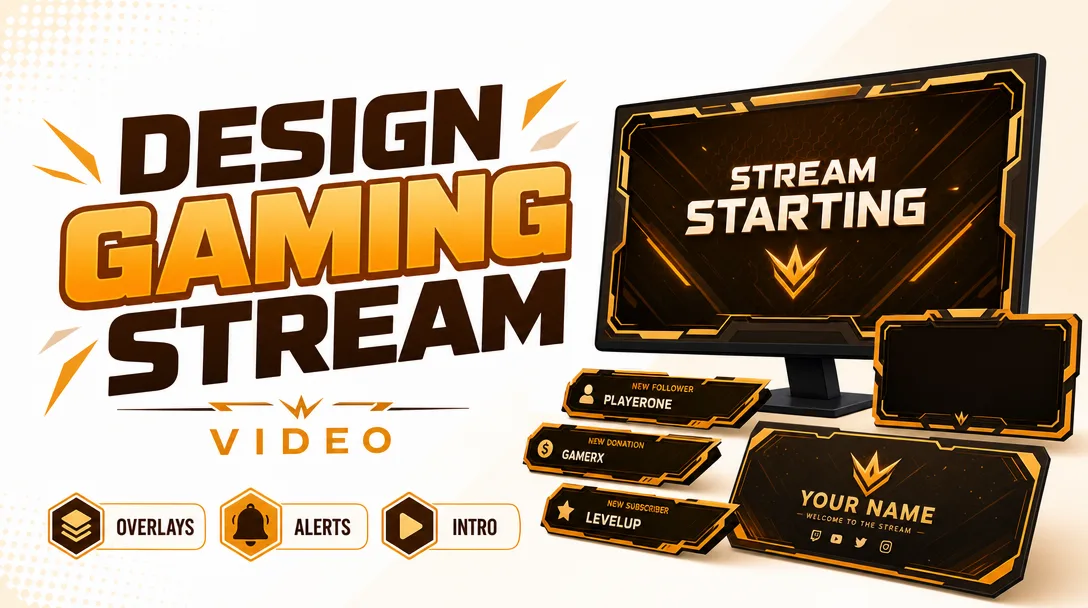
I will design a complete gaming stream package with custom overlays, animated alerts, and an intro that makes your channel look broadcast-ready from the very first frame.
Whether you stream on Twitch, YouTube, Kick, or Facebook Gaming, a cohesive visual identity is the difference between a channel people scroll past and one they remember. I build matching, ready-to-import graphics so your stream looks intentional, professional, and unmistakably yours.
What you get
A gaming stream package built around one consistent theme, color palette, and typographic style so every element feels like part of the same brand. Depending on the plan you pick, your delivery can include:
- Stream overlays for your main scenes: a starting-soon screen, a be-right-back (BRB) screen, a stream-ending screen, and a live/gameplay overlay frame with webcam border and panel zones.
- Animated alerts for new followers, subscribers, donations/tips, raids, and hosts, exported as transparent web files or video files ready to drop straight into OBS or Streamlabs.
- An animated intro (channel logo sting / stream opener) to launch your broadcasts or top your highlight videos.
- Webcam frame / facecam border matched to the overlay set.
- Screen transitions / stinger to wipe cleanly between scenes (Standard and Premium).
- Panel graphics for your channel's About, Donate, Rules, Schedule, and Socials sections (Premium).
- A short logo or wordmark treatment if you don't already have one (Premium, on request).
- Source/project files and a quick setup guide so you can import everything and adjust on your own later.
Everything is delivered in the correct formats and resolutions for live streaming: static graphics as transparent PNG, animated elements as WEBM with alpha (or MOV/GIF on request), and a layered editable source file. I also size assets for 1080p by default, with 1440p/4K scaling available.
Plans
| Feature | Basic | Standard | Premium |
|---|---|---|---|
| Overlay screens (starting, BRB, ending, live) | 1 screen | 3 screens | 4 screens |
| Animated alerts | 1 alert | 3 alerts | 5+ alerts |
| Animated intro / opener | — | Included | Included |
| Webcam frame / facecam border | — | Included | Included |
| Scene transition / stinger | — | — | Included |
| Channel panels | — | — | Included |
| Logo / wordmark treatment | — | — | On request |
| Source files included | — | Included | Included |
| Revisions | 1 | 2 | 3 |
Need a mix that isn't listed here, such as one overlay plus a full alert set? Message me before ordering and I'll put together a custom scope.
How it works
- Brief. You send me your channel name, the games or content you stream, your platform(s), any existing logo or colors, and reference channels or styles you love. The more direction you give, the closer the first draft lands.
- Concept & palette. I lock in a direction: theme (clean, cyberpunk, retro, anime, minimalist, esports, cozy, etc.), color palette, and the layout of your live scene.
- Design draft. I build the static layouts first so we agree on the look before anything gets animated. You review and request changes within your plan's revision count.
- Animation. Once the visuals are approved, I animate the alerts, intro, and transition (per plan).
- Export & handoff. I export every asset in stream-ready formats, package the source files, and send a short guide on importing into OBS or Streamlabs.
- Final check. You confirm everything imports and displays correctly. I'll sort out any sizing or export hiccups so it works on your setup.
Why choose this
I design specifically for live streaming, not generic graphics repurposed to fit. That means alerts timed to read clearly on-screen, overlays that leave room for gameplay instead of covering it, and text that stays legible at stream bitrates. Every element in your package shares one visual language, so your channel reads as a real brand rather than a pile of mismatched freebies. You get organized, correctly named files, the right formats for your software, and a setup guide so going live with your new look takes minutes, not an afternoon of troubleshooting.
Who it's for / use cases
- New streamers launching a channel who want to look established from day one.
- Growing partners/affiliates upgrading from a free template to a custom identity.
- Variety, FPS, MOBA, speedrun, and Just Chatting streamers who need overlays that flex across content.
- Esports teams and orgs wanting a unified look across multiple players' streams.
- YouTubers and content creators who want matching intros and lower-third-style graphics for VODs and highlights.
- Charity streams and events needing a polished one-off package for a specific broadcast.
FAQ
Q: Which streaming software does this work with? The package is built for OBS Studio and Streamlabs, and the files also work with Twitch Studio, XSplit, and similar tools. Static graphics are PNG, animated elements are alpha WEBM (MOV/GIF on request), so they import as standard browser/media sources.
Q: Can you match my existing logo and colors? Yes. Send your logo and brand colors in the brief and I'll build the whole package around them so everything stays consistent with your current identity.
Q: Do I get the editable source files? Source files are included on the Standard and Premium plans so you (or a future designer) can tweak colors and text later. Basic delivers final exports only.
Q: Can I request a specific theme or aesthetic? Absolutely. Tell me the vibe you're after, whether that's cyberpunk, retro arcade, anime, minimalist, cozy, or hard-edged esports, and share reference channels. I design to your direction, not a fixed template.
Q: What do you need from me to start? Your channel name, the games/content you stream, your platform(s), any existing logo or colors, and a few reference styles you like. That's enough for me to begin the concept.
Q: Will the alerts work with my donation/tip service? Yes. The alerts are delivered as standard transparent media files that drop into the alert sources of OBS, Streamlabs, and most alert platforms. I can also tailor which events get alerts (follow, sub, tip, raid, host) within your plan.
Q: How many revisions are included? Basic includes 1 revision, Standard 2, and Premium 3. I share static drafts before animating so we settle the look early and use revisions efficiently.
Q: Can you handle higher resolutions like 1440p or 4K? Default delivery is sized for 1080p streaming, and I can export at 1440p or 4K on request. Just mention your target resolution in the brief.
Reviews★0(0)
No reviews yet — be the first after your purchase.