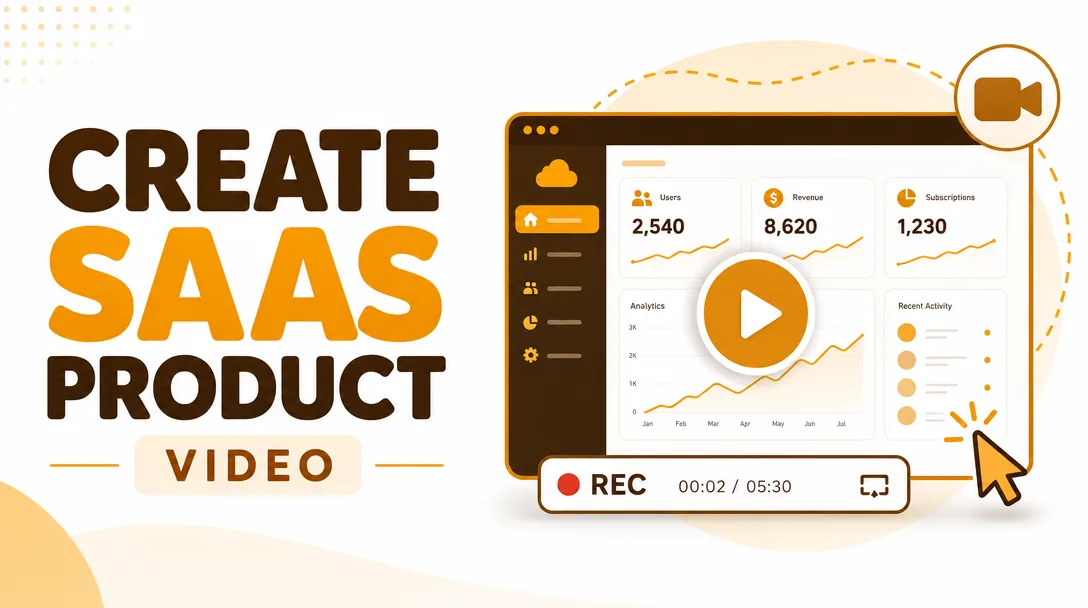
I will create a SaaS product demo and UI screen-recording walkthrough video
About this gig
I will create a polished SaaS product demo and UI screen-recording walkthrough video that shows your software in action, explains the value, and turns curious visitors into trial signups.
A great demo video does what a wall of feature bullets never can: it shows a real person clicking through your actual product, hitting the "aha" moment, and walking away convinced. I record your interface in crisp, high-resolution screen capture, sequence the flows that matter, and pair them with a clear voiceover and clean motion so your product feels obvious and easy. Whether you need a 60-second hero video for your landing page, a feature-by-feature onboarding walkthrough, or a sales demo to send to prospects, I build it around the one thing that converts: a confident, watchable story of your software solving a real problem.
What you get
- A finished SaaS demo / UI walkthrough video edited to your chosen length, delivered in high-resolution MP4 (1080p standard, 4K available on higher tiers)
- Clean screen recording of your live product or staging environment, captured at full resolution with smooth cursor movement and readable text
- A scripted narration arc: hook, the problem you solve, the core flow(s), the payoff, and a clear call to action
- Professional voiceover (natural human or studio-grade AI voice, your choice) timed precisely to each on-screen action
- Cursor highlighting, click emphasis, zoom-ins on important UI details, and smooth transitions between screens
- On-screen text callouts, labels, and lower-thirds to reinforce key features and benefits
- Background music licensed for commercial use, mixed under the voiceover at the right level
- Your logo, brand colors, and fonts woven into intro, outro, and captions so the video looks like you
- An animated intro and an outro end-card with your CTA, URL, or signup button
- Light motion graphics to introduce sections, callouts, and feature names
- Captions / subtitles (burned-in or as a separate SRT file) for silent autoplay and accessibility
- Web-optimized export plus aspect-ratio variants (16:9 for site and YouTube; square or vertical cuts on higher tiers for social and ads)
Plans
| Feature | Basic | Standard | Premium |
|---|---|---|---|
| Finished video length | Up to ~60 sec | Up to ~2 min | Up to ~4 min |
| Screen recording of your product | Yes | Yes | Yes |
| Scripting support | Polish your script | Script from your notes | Full script written for you |
| Voiceover | AI voice | AI or human voice | Premium human voice |
| Motion graphics & callouts | Basic | Enhanced | Advanced |
| Zoom-ins & click emphasis | Yes | Yes | Yes |
| Captions / subtitles | — | Burned-in | Burned-in + SRT |
| Background music (licensed) | Yes | Yes | Yes |
| Resolution | 1080p | 1080p | Up to 4K |
| Aspect-ratio variants | 16:9 | 16:9 + 1 social cut | 16:9 + vertical + square |
| Revision rounds | 1 | 2 | 3 |
| Source project files | — | — | Yes |
How it works
- You place your order and share a quick brief: your product URL or demo login, who the video is for, where it will live (landing page, YouTube, sales email, onboarding), and the key features or flows you want shown.
- I review your product and propose a structure, target length, and tone, then either polish your script or write one for you depending on your tier.
- Once the script and flow are approved, I record clean screen captures of the exact UI paths we agreed on. If your app needs seeded data or a specific state, we coordinate a test account or you provide screenshots/recordings.
- I produce the voiceover, then edit picture and audio together: timing each click to the narration, adding zoom-ins, callouts, transitions, music, and your branding.
- I deliver a draft for your review. You leave timestamped notes, and I apply your revisions within the rounds included in your tier.
- I export the final files in the formats and aspect ratios you need and hand everything over, ready to publish.
Why choose this
Most SaaS demos fail in one of two ways: they're a dry feature tour with no story, or they're a slick animation that never actually shows the product. I focus on the middle ground that converts — real UI, real flows, framed inside a benefit-driven narrative. I pay attention to the details that quietly make or break a demo: text that's actually readable, a cursor that moves deliberately instead of darting around, zoom-ins exactly when a detail matters, and pacing that never drags or rushes.
You also get a collaborator who thinks about where the video will be used. A 60-second autoplay hero for your homepage is edited very differently from a 3-minute onboarding walkthrough or a sales demo emailed to a decision-maker, and I tailor structure, captions, and length to the destination. Communication is direct and responsive, revisions are honest and built into your tier, and the source files are available on Premium so your team can update the video later as your product evolves.
Who it's for / use cases
- SaaS founders and startups who need a hero demo video for the landing page to lift trial signups
- Product and marketing teams launching a new feature and needing a focused walkthrough
- Sales teams who want a polished demo to send prospects instead of scheduling another live call
- Customer success and onboarding teams creating "how it works" and getting-started videos to reduce support load
- Apps running paid ad campaigns who need short, punchy product cuts for social and YouTube
- Indie makers and bootstrapped tools who want an agency-quality demo without an agency-sized production
- Companies submitting to product directories, accelerators, or investor decks that ask for a short product video
FAQ
Q: Do you record my actual product, or is it animated? I record your real software via high-resolution screen capture, so viewers see the genuine interface. I add motion graphics, callouts, and zoom-ins on top of the real recording — the product stays authentic while the presentation stays polished.
Q: I don't have a script. Can you write one? Yes. On Standard I build the script from your notes and feature list, and on Premium I write the full script for you after reviewing your product. On Basic I'll polish a script you provide. Either way, nothing gets recorded or voiced until you approve the script.
Q: How do you access my product to record it? Most clients give me a test or demo account, or a staging URL. If your app needs specific data on screen or you'd rather not share access, you can send me your own raw screen recordings and I'll edit, brand, and narrate them.
Q: Human voiceover or AI voice — which do I get? Basic uses a natural-sounding AI voice. Standard lets you choose AI or a human voiceover, and Premium includes a premium human voice. If you'd prefer to provide your own narration recording, I'm happy to edit to that instead.
Q: What format will I receive? You get a web-optimized MP4 in 16:9 by default (1080p, up to 4K on Premium). Higher tiers add social-ready vertical and square cuts, and Premium includes captions as a separate SRT plus the editable source project files.
Q: How many revisions are included? Basic includes one revision round, Standard two, and Premium three. The clearest, fastest results come from timestamped notes on the draft, and I'll always confirm the script and flow before editing so big changes are caught early.
Q: Can you match my brand? Yes. Send me your logo, brand colors, fonts, and any existing videos for reference, and I'll carry your branding through the intro, callouts, captions, and outro end-card so the demo looks like a native part of your site.
Q: How long does it take? Turnaround depends on tier and video length, and I confirm a delivery timeline with you when you order. If you're on a launch deadline, message me first and I'll let you know whether a faster turnaround is possible.
Reviews★0(0)
No reviews yet — be the first after your purchase.