I will set up GA4 and Google Tag Manager with full conversion tracking
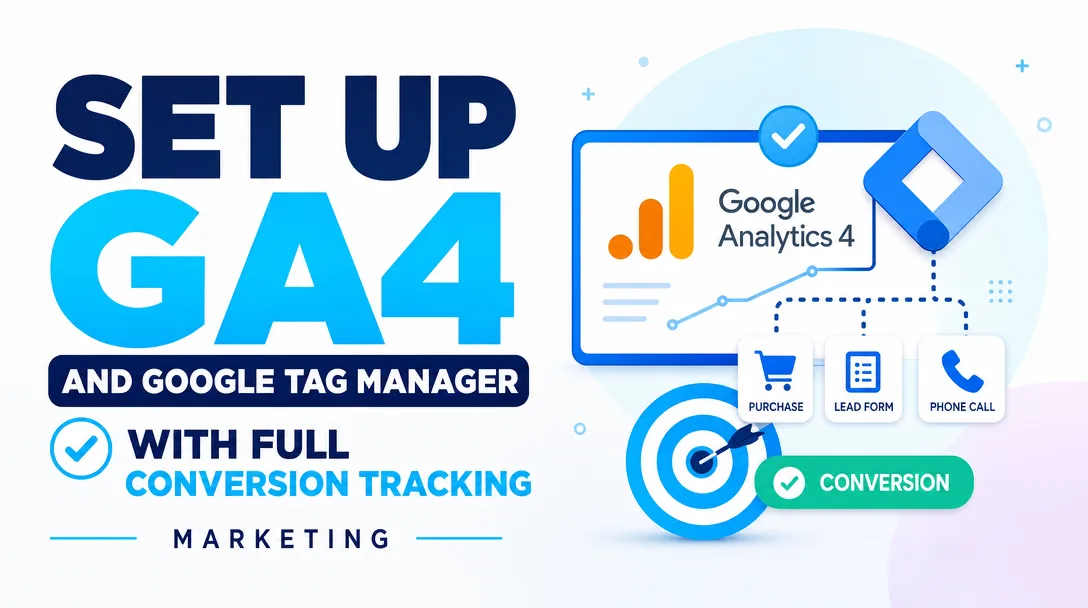
About this gig
If your reports show traffic but you still cannot tell which clicks turn into leads or sales, I will set up GA4 and Google Tag Manager with conversion tracking you can trust.
Most analytics setups break in the same quiet way: GA4 records pageviews, but the events that actually matter to your business, such as a form submit, a checkout, a phone tap, or a booking, are either missing, double counted, or firing on the wrong page. You end up making decisions on numbers nobody fully trusts. I fix that. I build a clean, documented measurement layer in Google Tag Manager, wire it into GA4 the way Google now expects, and verify every conversion fires once, on the right action, with the right values attached.
What you get
- A fully configured GA4 property with a proper data stream, sensible data retention settings, internal traffic and referral exclusions, and cross-domain tracking if you run more than one domain.
- A Google Tag Manager container installed correctly on your site (head and body snippets, or GTM verified through your CMS/plugin), with a clear naming convention so future edits stay sane.
- Conversion event tracking for the actions that matter to you: form submissions, button and link clicks, phone and email taps, file downloads, outbound clicks, scroll depth, video engagement, and add-to-cart / begin-checkout / purchase for stores.
- Events configured with a consistent dataLayer structure and meaningful parameters, so you are not stuck with vague "click" events you cannot segment later.
- Key events / conversions marked in GA4, so the actions you care about show up in the right reports and can be imported into Google Ads.
- Enhanced measurement reviewed and tuned, rather than left on every default, so you do not get inflated or duplicated counts.
- A short tracking plan document listing every event, its trigger, and its parameters, plus a loom-style or written walkthrough of how to read your reports and add events yourself later.
- QA evidence: screenshots or a recording from GTM Preview mode and GA4 DebugView showing each conversion firing correctly before we call it done.
Plans
| Feature | Basic | Standard | Premium |
|---|---|---|---|
| GA4 property setup & data stream | Yes | Yes | Yes |
| GTM container install & verification | Yes | Yes | Yes |
| Conversion events tracked | Up to 3 | Up to 7 | Up to 15 |
| Form / button / click tracking | Core form | Forms + clicks | Full interaction set |
| Ecommerce events (cart/checkout/purchase) | — | Basic | Full ecommerce |
| Cross-domain tracking | — | Optional | Yes |
| Google Ads conversion import | — | Yes | Yes |
| Consent Mode v2 setup | — | — | Yes |
| Custom dimensions / parameters | — | Limited | Yes |
| Tracking plan document | Brief | Yes | Detailed |
| QA in Preview + DebugView | Yes | Yes | Yes |
| Revision rounds | 1 | 2 | 3 |
How it works
- Kickoff and access. You share your website URL, the actions you want to count as conversions, and access to GTM, GA4, and your site or CMS. If accounts do not exist yet, I create and structure them under your ownership.
- Audit and plan. I review any existing tags and the user journey on your site, then write a tracking plan that maps each business goal to a concrete event and trigger. You approve it before I build.
- Build in GTM. I create tags, triggers, and variables in your container, set up the dataLayer where needed, and connect everything to GA4 using a single configuration tag and clean event tags.
- Verify everything. Using GTM Preview and GA4 DebugView, I walk through each tracked action and confirm it fires once, with correct parameters, on the right page. No duplicates, no phantom events.
- Publish and mark conversions. I publish the container, mark your chosen events as key events in GA4, and import them into Google Ads if that is in your plan.
- Handover. You receive the tracking plan, QA evidence, and a walkthrough so you understand exactly what is being measured and how to extend it.
Why choose this
I treat tracking as plumbing, not guesswork. Every event is named consistently, documented, and verified with evidence before delivery, so you are never left wondering whether a number is real. I work with the current GA4 and GTM standards, including the configuration approach Google moved to, and I avoid hard-coded hacks that quietly break the next time you redesign a page. You get a setup that a future developer or marketer can read and trust, not a black box only I understand. And because the work is documented, you keep full ownership and the ability to add events yourself.
Who it's for / use cases
- Service businesses that need to count form fills, quote requests, calls, and bookings as conversions.
- Ecommerce stores on Shopify, WooCommerce, or similar that need reliable cart, checkout, and purchase tracking feeding GA4 and Google Ads.
- Lead-gen and SaaS sites that want signup, trial, and demo-request events tied to ad campaigns.
- Agencies and marketers who need a clean GTM build for a client without doing the wiring themselves.
- Anyone migrating from old Universal Analytics habits to a GA4 setup that actually reports conversions correctly.
FAQ
Q: Do I need to give you admin access to my accounts? Yes, I need Editor or Admin access to your GTM container and GA4 property, plus a way to add or verify the GTM snippet on your site. You keep full ownership throughout and can revoke access once the work is delivered.
Q: What if I do not have GA4 or GTM set up yet? That is fine. I will create both, configured properly from the start under your Google account, so ownership stays with you.
Q: Will this slow down my website? No. GTM loads asynchronously and I keep the tag setup lean. A correctly configured container has negligible impact on page speed.
Q: Can you track conversions inside an embedded or third-party form? Often yes, depending on the form provider. Some embeds expose events we can listen to, others need a thank-you page or a small dataLayer push. I will confirm what is possible for your specific form during the audit.
Q: Do you handle Consent Mode and cookie banners? Consent Mode v2 setup is included in the Premium plan. I can integrate with common consent platforms; the banner UI itself is usually managed by your consent tool, which I configure GTM to respect.
Q: Will my historical data be affected? No. GA4 only collects data going forward from the moment tracking is live. This setup will not recover past data, but it ensures everything from delivery onward is measured correctly.
Q: How do I know the tracking actually works? Before delivery I verify every event in GTM Preview and GA4 DebugView and send you the evidence. You will see each conversion firing once, on the correct action, with its parameters.
Q: Can you also build dashboards or reports? This service focuses on accurate tracking setup. I can configure key events and explorations so your conversions appear in the right GA4 reports; full custom dashboard design can be discussed as an add-on.
Reviews★0(0)
No reviews yet — be the first after your purchase.