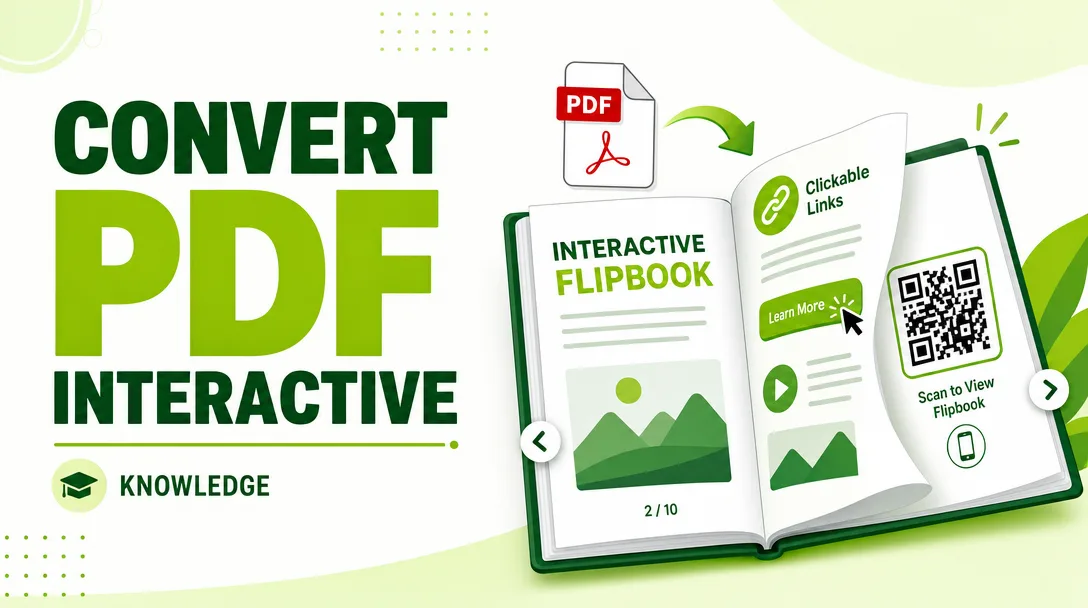
I will convert your PDF into an interactive page-flip flipbook with clickable links and QR code
About this gig
Turn a flat PDF into a real page-flip flipbook with clickable links, a QR code, and a shareable URL your audience can open on any device, no app required.
What you get
- A polished page-flip flipbook built from your existing PDF, with realistic page-turn animation that works on desktop, tablet, and mobile.
- Clickable hyperlinks embedded inside the pages: live URLs, email addresses, "buy now" buttons, social profiles, and internal page-jump links (for example, a clickable table of contents).
- A QR code that points straight to your flipbook, delivered as a high-resolution PNG/SVG you can drop onto print materials, packaging, business cards, or slides.
- A shareable hosted link (or self-hosted HTML5 package, depending on your plan) so people can read the flipbook in any modern browser.
- Responsive behavior so the book scales correctly from a phone screen up to a widescreen monitor, with pinch-to-zoom and readable text.
- Built-in reader controls: next/previous, thumbnail navigation, full-screen toggle, and zoom.
- Optional branding touches: your logo on the loading screen, a background color or texture, and a custom browser tab title.
- A short handover note explaining how to update or re-host the file later, plus the source assets where applicable.
I keep the original layout, fonts, and image quality of your PDF intact. The goal is that the flipbook looks exactly like your document, only now it turns pages and responds to clicks.
Plans
| Feature | Basic | Standard | Premium |
|---|---|---|---|
| Page count covered | Up to ~20 pages | Up to ~60 pages | Up to ~150 pages |
| Page-flip animation | Yes | Yes | Yes |
| Clickable external links | Up to 10 | Up to 40 | Unlimited (within reason) |
| Internal page-jump links / clickable TOC | — | Yes | Yes |
| QR code (PNG) | Yes | Yes | Yes + SVG vector |
| Hosted shareable link | Yes | Yes | Yes |
| Self-hosted HTML5 export package | — | Optional | Yes |
| Logo / branded loading screen | — | Yes | Yes |
| Background music or autoplay slideshow | — | — | Optional |
| Revisions | 1 | 2 | 3 |
| Delivery speed | Standard | Faster | Priority |
Every plan delivers a working, link-enabled, QR-coded flipbook. Higher tiers add more pages, deeper interactivity, branding, and self-hosting freedom.
How it works
- You send me your PDF. Ideally the final, print-ready version. If you also have the original links you want active (a list of URLs and which page/text they belong to), share that too. If the links already exist as real hyperlinks inside the PDF, even better, I'll detect and preserve them.
- I review the file and confirm page count, link list, target QR destination, and any branding preferences. If anything is unclear, I ask before starting so there are no surprises.
- I build the flipbook, converting each page into a crisp, responsive spread with smooth page-turn animation.
- I wire up the interactivity: hyperlinks, clickable table of contents, page-jump anchors, and the QR code that resolves to your final link.
- I test it across desktop and mobile, checking that every link opens correctly, the QR scans cleanly, and pages render sharply at different zoom levels.
- I deliver the shareable link, the QR code files, and (on eligible plans) the self-hosted HTML5 package, along with simple instructions.
- You review and request revisions within your plan's allowance, and I finalize.
Why choose this
A PDF is fine for printing, but online it feels static and dead. Readers download it, lose it in a folder, and never click a thing. A flipbook flips that: it lives at a link, opens instantly in a browser, turns like a real magazine, and lets people tap straight through to your website, store, or contact form.
I focus on three things that cheap automated converters get wrong. First, link accuracy, every clickable area is placed deliberately and tested, not guessed. Second, visual fidelity, your fonts, spacing, and image sharpness survive the conversion. Third, the QR code actually being useful, sized and formatted so it scans from print on the first try. You get a clean deliverable plus the small details (branded loading screen, readable mobile view, working full-screen) that make it feel professional rather than thrown together.
Who it's for / use cases
- Restaurants and cafes turning a menu PDF into a QR-on-the-table digital menu with clickable ordering or reservation links.
- Real estate agents sharing property brochures that link to listings, maps, and booking forms.
- Authors and publishers offering a flippable preview, catalog, or magazine issue.
- Marketers and agencies distributing lookbooks, portfolios, and proposals that click through to campaigns.
- Event organizers providing programs and schedules with QR access on signage and badges.
- Schools, nonprofits, and businesses publishing annual reports, newsletters, and prospectuses online.
- E-commerce and product brands building catalogs where every product links to its checkout page.
If you have a PDF and you want it to feel alive, branded, and clickable on the web, this is for you.
FAQ
Q: What format do I need to send? A finished PDF is ideal. If you only have a Word, PowerPoint, or design file, export it to PDF first, or let me know and we can discuss the cleanest way to handle it.
Q: Can you keep the links that are already inside my PDF? Yes. If your PDF already contains real hyperlinks, I preserve and test them. If your links are just printed text, send me a list mapping each link to its page and I'll make them clickable.
Q: Where does the QR code point? To your final flipbook link by default, so anyone scanning it opens the book instantly. If you'd rather it point to a specific page or an external URL, just tell me.
Q: Will it work on phones? Yes. The flipbook is responsive, with pinch-to-zoom and a readable mobile layout, and the QR code is built to scan reliably from printed material.
Q: Do I need to install anything to use it? No. Readers just open the link in any modern browser. On self-hosted plans you receive an HTML5 package you can upload to your own hosting.
Q: Can you add my logo, colors, or background music? Logo and brand colors are available on Standard and Premium. Optional background music or an autoplay slideshow is available on Premium.
Q: What if a link is wrong after delivery? That's exactly what revisions are for. Send me the correction within your plan's revision allowance and I'll fix it promptly.
Q: How many pages can you handle? It depends on the plan, from short documents up to large catalogs around 150 pages. If your file is bigger, message me first and I'll let you know the best approach before we start.
Reviews★0(0)
No reviews yet — be the first after your purchase.