I will turn your website into an installable PWA with offline support and push
About this gig
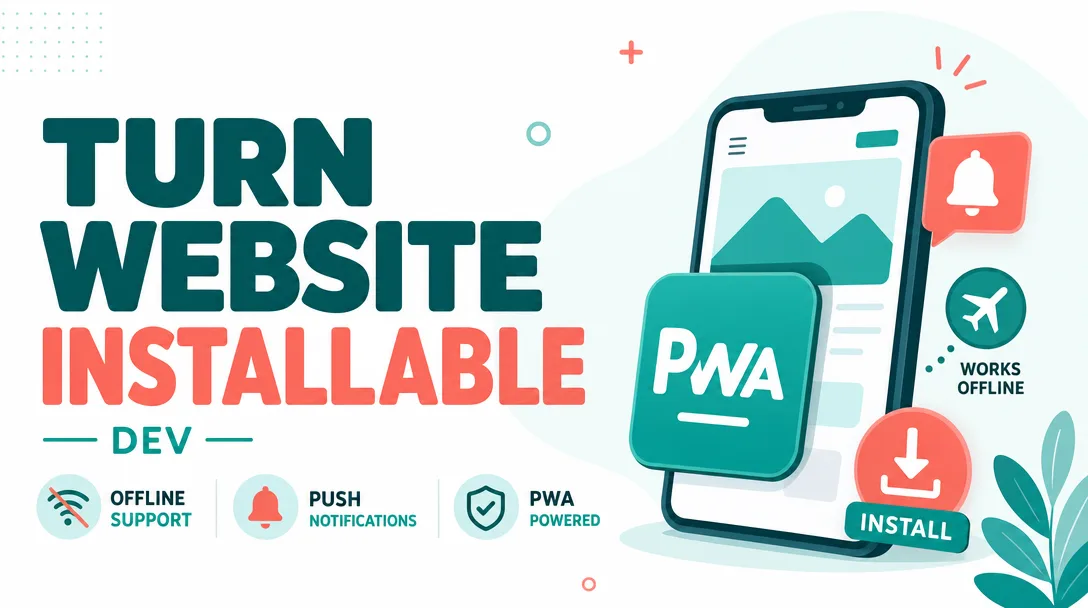
I will turn your existing website into a fast, installable Progressive Web App with reliable offline support and working push notifications — no rebuild, no framework lock-in.
What you get
- A production-ready Web App Manifest (
manifest.webmanifest) wired into your pages, with name, short name, theme/background colors, display mode, scope, start URL, and orientation tuned for your brand. - A complete icon set generated from your source logo: maskable icons, Apple touch icons, and the favicon sizes modern browsers expect, plus the
<meta>/<link>tags that make them load. - A hand-written service worker (no opaque boilerplate dump) implementing a caching strategy chosen for your content: cache-first for static assets, stale-while-revalidate for semi-dynamic pages, network-first with timeout for API calls.
- Offline support — a custom offline fallback page, cached core routes, and precaching of your critical CSS/JS/fonts so the app opens and stays usable without a connection.
- A working install experience: a controlled "Add to Home Screen" / install prompt with your own button and copy, instead of the silent browser default, plus correct behavior on iOS, Android, and desktop Chrome/Edge.
- Web Push notifications end to end: VAPID key generation, a subscribe/unsubscribe flow, the client-side
push/notificationclickhandlers, and a documented payload format your backend can POST to. A minimal send script/snippet is included so you can fire a test notification on day one. - Smart cache versioning and update flow so new deploys don't get stuck behind a stale service worker — including a "new version available, refresh" pattern you can keep or remove.
- A Lighthouse PWA pass: I run the audit and resolve the installability and best-practice items that are in scope, then hand you the before/after report.
- A short handover doc explaining what was added, how to change cached routes, how to send a push, and how to bump the cache version when you deploy.
Plans
| Basic | Standard | Premium | |
|---|---|---|---|
| Manifest + full icon set | Yes | Yes | Yes |
| Installable + custom install prompt | Yes | Yes | Yes |
| Service worker + offline fallback | Basic precache | Tuned per-route strategies | Tuned + background sync |
| Push notifications (VAPID + handlers) | — | Yes | Yes + send script & topics |
| Update / new-version flow | — | Yes | Yes |
| Lighthouse PWA audit + fixes | Installability only | Full PWA category | Full + performance pass |
| Pages / routes covered | Single page or small site | Multi-page site | Larger / multi-section site |
| Handover doc + walkthrough | Written notes | Written doc | Doc + live call |
| Revisions | 1 | 2 | 3 |
How it works
- Share your site. Send me the live URL plus access to the codebase or the ability to add a few files (manifest, icons, service worker, and the registration snippet). Static sites, server-rendered apps, WordPress, Shopify themes, and most JS frameworks all work.
- Audit & plan. I review your stack, hosting, and HTTPS setup, run a baseline Lighthouse audit, and map which routes and assets should be cached and how. You get a short plan before I build.
- Build the PWA layer. I generate icons, write the manifest, author the service worker with the agreed caching strategy, and wire in registration. For push, I set up VAPID keys and the subscribe flow.
- Test across devices. I verify install on Android and desktop, confirm the iOS add-to-home-screen behavior, pull the network cable (literally — offline mode) to confirm the app loads, and send a real test push.
- Review & revise. You install it yourself and try it offline. I refine copy, icons, cached routes, or strategy within your plan's revisions.
- Handover. You get the files, the doc, and a clear path to maintain it.
Why choose this
I write the service worker by hand and explain every line, so you own maintainable code instead of a generated black box you're afraid to touch. The caching strategy is matched to your content — a blog, a store, and a dashboard each need different rules, and I don't apply a one-size template. I test offline behavior and push on real devices, not just in a single desktop tab, because iOS in particular has quirks that only show up on a phone. And I keep your stack: no migration, no rewrite, no new framework — the PWA layer sits on top of what you already ship.
Who it's for / use cases
- E-commerce and content sites that want an installable, app-like presence without building a native app.
- SaaS and dashboards that need offline-tolerant views and re-engagement via push.
- Local businesses and events wanting a home-screen icon customers tap instead of typing a URL.
- Agencies and developers who need the PWA layer done cleanly so they can focus on features.
- Anyone failing the Lighthouse "installable" check who wants it resolved properly.
FAQ
Q: Will this slow down or break my existing site? No. The PWA layer is additive — manifest, icons, and a service worker that I scope and test. If anything looks off in review, I adjust the caching rules; nothing about your current rendering changes.
Q: Does push really work on iPhone? Yes, on iOS 16.4 and later, but only after the user installs the app to the home screen — that's an Apple requirement, not a limitation of my work. I set it up correctly and tell you exactly what your iOS users need to do.
Q: I'm on WordPress / Shopify / a no-build static site. Is that fine? Yes. As long as I can add a few files and serve over HTTPS, the approach works. Some platforms need a small plugin or theme edit, which I'll handle or document.
Q: Do I need a backend for push notifications? To send pushes, you need somewhere to POST the payload from — I provide the keys, the client handlers, and a minimal send script. Wiring it into a large existing backend or a scheduler is possible as an add-on if you'd like.
Q: What do you need from me to start? The live URL, your logo in a high-resolution square format, and either repo access or the ability to add files to your project. Confirmed HTTPS is required for service workers to run at all.
Q: Will the app update when I deploy new content? Yes. I include cache versioning and an update flow so users get fresh content instead of being stuck on a cached version. The handover doc shows how to bump the version on each deploy.
Q: Can users actually install it, or is it just "offline"? Both. A valid manifest plus the service worker makes it genuinely installable with its own icon and window, and I add a custom prompt so the install option is visible rather than hidden in a browser menu.
Q: What if I only need offline support and not push? The Basic plan covers the installable, offline-capable PWA without push. You can always add push later, and the architecture leaves room for it.
Reviews★0(0)
No reviews yet — be the first after your purchase.