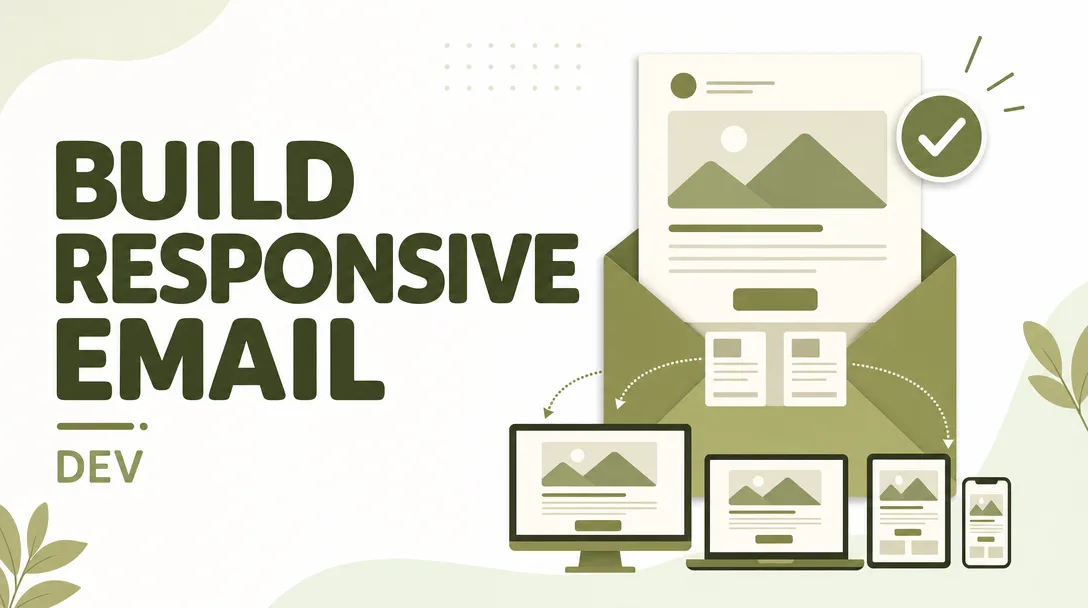
I will build a responsive email template that renders everywhere
About this gig
I will build a hand-coded, responsive email template that renders cleanly across Outlook, Gmail, Apple Mail, and dozens more inboxes — tested, on-brand, and ready to send.
What you get
Email clients are the wild west of front-end development. Gmail strips your <style> tags in some contexts, Outlook on Windows still renders with a Word engine from two decades ago, and dark mode quietly inverts colors you never wanted touched. I build email templates the way they actually need to be built: bulletproof table-based HTML with inline CSS, defensive fallbacks, and real testing across the inboxes that matter. No drag-and-drop builder export, no bloated framework markup — just clean, maintainable code that does what you expect.
- A complete, hand-coded HTML email template with all CSS inlined for maximum client support
- Responsive layout that adapts gracefully from desktop down to narrow mobile screens
- Outlook-specific handling using MSO conditional comments and VML where needed (buttons, background images, spacing)
- Dark mode treatment so your template stays readable when clients auto-invert colors
- Web-safe and fallback font stacks, with optional web fonts where the client supports them
- Retina-ready images with proper
alttext and sensible dimensions for fast loading - Bulletproof CTA buttons that render as real clickable buttons even in Outlook (no image-only links)
- A working table of content blocks: header/logo, hero, body copy, image rows, dividers, footer with unsubscribe and address placeholder
- Plain-text considerations and preheader text set up correctly
- Tested rendering across major clients, with screenshots from the render testing
- Clean, commented source file you can drop straight into your ESP (Mailchimp, Klaviyo, HubSpot, SendGrid, Campaign Monitor, Braze, and similar)
- A short handoff note explaining how to edit copy, swap images, and reuse the blocks
Plans
| Feature | Basic | Standard | Premium |
|---|---|---|---|
| Hand-coded responsive HTML template | Yes | Yes | Yes |
| Inlined CSS for client support | Yes | Yes | Yes |
| Content sections / blocks | Up to 3 | Up to 6 | Up to 10 |
| Bulletproof CTA buttons | 1 | Up to 3 | Unlimited |
| Outlook / MSO fixes | Yes | Yes | Yes |
| Dark mode optimization | — | Yes | Yes |
| Cross-client render testing + screenshots | Core clients | Extended set | Full suite |
| ESP-ready export & setup notes | — | Yes | Yes |
| Modular reusable block library | — | — | Yes |
| Light / animated (GIF) hero support | — | — | Yes |
| Revisions | 1 | 2 | 3 |
How it works
- You share the brief. Send me your design (Figma, PSD, Sketch, XD, a PDF, or even a rough sketch), your brand colors and fonts, your logo, and any copy and images. If you only have a reference email you like, that works too.
- I confirm scope. I review the layout, flag anything that won't translate well to email (email is not a webpage — some effects simply don't render), and we agree on the block count and tier.
- I build the template. I hand-code the HTML and CSS from scratch, structure it with nested tables for maximum compatibility, inline the styles, and add the Outlook and dark-mode fallbacks.
- I test it. I run the template through render testing across the client set for your tier and review the screenshots for breakage, spacing issues, and color shifts.
- You review. I send you the rendered previews and the source file. You request any revisions within your tier's allowance.
- I hand off. You receive the final source file, the test screenshots, and setup notes so you can paste it into your ESP and start sending.
Why choose this
Most "email templates" you find are either rigid builder exports that break the moment you touch them, or web-style HTML that looks fine in Gmail and falls apart in Outlook. I write email markup the disciplined way, because that's the only way to get consistent rendering. Tables for structure, inline CSS for delivery, conditional comments for Outlook, and real testing instead of "it looks fine on my screen." You get a template that survives forwarding, copy edits, and the dozen quirks of real-world inboxes — and you get clean source you (or your team) can actually maintain. I'm honest about the constraints of the medium up front, so there are no surprises at delivery.
Who it's for / use cases
- Startups and small businesses that need a reliable newsletter or announcement template
- Marketers moving off a drag-and-drop builder and wanting clean, portable HTML
- Agencies that need a coded template to plug into a client's ESP
- SaaS and ecommerce teams needing transactional emails: welcome, order confirmation, password reset, receipts, shipping updates
- Product launches, promotions, event invites, and seasonal campaigns
- Anyone whose current email "looks broken in Outlook" and wants it fixed properly
- Teams who want a modular block system so future emails can be assembled fast
FAQ
Q: Which email clients do you test against? I test the major ones your audience uses — Gmail (web, iOS, Android), Apple Mail (macOS and iOS), Outlook (Windows desktop, Mac, and web), Yahoo, and others depending on your tier. The Premium tier covers the broadest set, including more legacy and regional clients.
Q: Do I need to provide the design, or can you design it? This service is focused on building (coding) the template from a design or clear reference you provide. I can work from a Figma/PSD/sketch or adapt a layout you like, but full original visual design from a blank page is best discussed first so we scope it correctly.
Q: Will it work with my email platform? Yes. The output is standard HTML that works with Mailchimp, Klaviyo, HubSpot, SendGrid, Campaign Monitor, Braze, ActiveCampaign, and most other ESPs. The Standard and Premium tiers include notes on pasting it in and mapping merge tags or content areas.
Q: Why tables and inline CSS instead of modern CSS? Email clients don't support modern layout reliably — many strip <head> styles, ignore flexbox and grid, and render Outlook with a legacy engine. Table-based structure with inlined CSS is the proven approach for consistent rendering everywhere. It's deliberate, not outdated.
Q: Can you handle dark mode? Yes. Standard and Premium include dark mode optimization so colors, logos, and text stay legible when clients auto-invert. I use the available meta tags and color techniques, and I'll be honest that no method is perfect across every client — but it will look intentional, not broken.
Q: Can you add animation or interactivity? I can include animated GIFs in the hero (Premium tier) with a static fallback for clients that don't animate. True interactivity (AMP for Email, hover effects, accordions) is unreliable across clients, so I generally recommend against it; if you specifically need it, let's discuss before ordering.
Q: What exactly do I receive at the end? You receive the final HTML source file (commented and editable), the cross-client test screenshots, and a short handoff note covering how to swap copy, images, and links and how to load it into your ESP. Premium also includes the reusable block library.
Q: What about copywriting and images? I place the copy and images you provide and ensure they render correctly. Writing marketing copy or creating original photography/illustration isn't part of this build, though I'm happy to use placeholder content if you're still finalizing yours.
Q: How do revisions work? Each tier includes a set number of revision rounds (1 to 3). Revisions cover adjustments to the agreed scope — spacing, colors, swapping blocks, fixing rendering issues. Adding entirely new sections beyond the agreed count is treated as new scope, which we can sort out easily.
Reviews★0(0)
No reviews yet — be the first after your purchase.