I will set up a CI/CD pipeline with GitHub Actions, Docker and automated deploys
About this gig
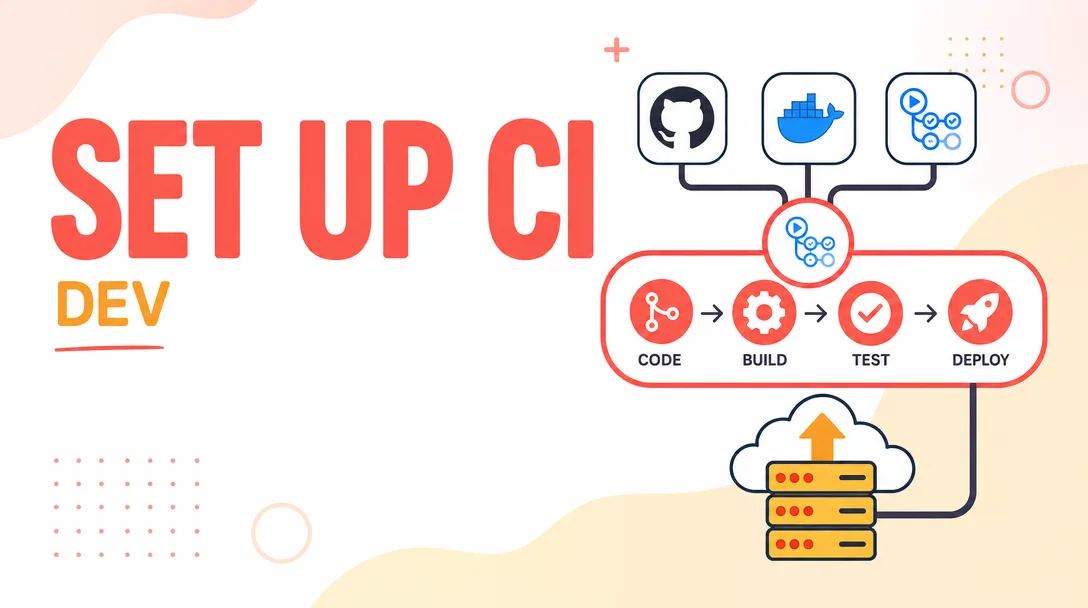
I will set up a complete CI/CD pipeline with GitHub Actions, Docker, and automated deploys so every push gets built, tested, and shipped without manual steps.
If your team still SSHes into a server to git pull and restart, or your deploys happen "whenever someone has time," this service fixes that. I design and build a real continuous integration and continuous delivery pipeline around your existing repository, so a merge to your main branch reliably produces a tested Docker image and a deployed release you can trust.
What you get
- A working GitHub Actions workflow (
.github/workflows/*.yml) wired to your repository, triggering on push, pull request, and tags as appropriate. - A production-ready Dockerfile (multi-stage build where it makes sense) plus a
.dockerignore, optimized for small image size and fast rebuilds via layer caching. - Automated build and test stages that run your test suite, linters, and type checks on every pull request, so broken code never reaches your main branch.
- Image publishing to the registry of your choice — GitHub Container Registry (GHCR), Docker Hub, Amazon ECR, Google Artifact Registry, or a private registry — with proper tagging (commit SHA, branch, semver).
- Automated deployment to your target: a VPS over SSH, Docker Compose, a single-node or managed Kubernetes cluster, AWS ECS, Google Cloud Run, Azure, Fly.io, Render, or similar. I'll match the pipeline to where you actually host.
- Secrets handled correctly via GitHub Actions secrets / environments — no credentials committed to the repo, no tokens in plain text.
- Build caching (Docker layer cache, dependency cache) so pipelines stay fast and you're not waiting ten minutes for every commit.
- Status badges and branch protection guidance so a green pipeline becomes a required gate before merge.
- A short README/handover doc explaining how the pipeline works, how to roll back, and how to extend it.
- A live demonstration of a real deploy triggered from a commit, plus post-delivery support to make sure it runs in your environment, not just mine.
Plans
| Feature | Basic | Standard | Premium |
|---|---|---|---|
| GitHub Actions CI (build + test on PR) | Yes | Yes | Yes |
| Dockerfile + .dockerignore | Yes | Yes | Yes |
| Image publish to registry | — | Yes | Yes |
| Automated deploy to one environment | — | Yes | Yes |
| Multi-environment (staging + production) | — | — | Yes |
| Build/layer caching optimization | Basic | Yes | Advanced |
| Rollback strategy + manual approval gate | — | — | Yes |
| Secrets & environment configuration | — | Yes | Yes |
| Handover documentation | Short notes | Yes | Detailed runbook |
| Revisions | 1 | 2 | 3 |
(Tiers describe scope only. We agree on the exact targets before any work begins.)
How it works
- Discovery. You share your repository (or a sanitized description of its structure), your stack, and where you want to deploy. I confirm the language, framework, test commands, and hosting target.
- Plan. I send you a short written plan: the workflow stages, the registry, the deploy target, and which secrets I'll need you to create. You approve before I build.
- Build the pipeline. I write the Dockerfile, the GitHub Actions workflow(s), and the deploy scripts. I run them against a branch first so nothing touches production prematurely.
- Test end to end. I push commits and watch the pipeline build, test, publish, and deploy. We iterate until a clean commit goes from push to live with zero manual steps.
- Handover. I walk you through the setup, deliver documentation, and hand over a pipeline you fully own and can modify.
Why choose this
I build pipelines that match how your team actually works, not a copy-pasted template that breaks on the first edge case. The setup is yours — plain YAML and a Dockerfile in your repo, no proprietary tooling, no lock-in, nothing you need me to maintain forever. I optimize for fast feedback (cached builds, parallel jobs where useful) and for safety (tests gate merges, deploys are repeatable and reversible). And I prove it works with a real deploy before I call it done, so you're not left holding a config that "should" work.
Who it's for / use cases
- Startups and small teams shipping a web app or API who want professional deploys without hiring a DevOps engineer.
- Solo developers tired of manual
git pull && restartrituals on a server. - Agencies standardizing delivery across client projects with a repeatable build-and-ship flow.
- Teams migrating from Jenkins, GitLab CI, CircleCI, or hand-rolled scripts to GitHub Actions.
- Projects containerizing for the first time that need both the Dockerfile and the pipeline to run it.
Typical stacks I handle: Node.js, Python, Go, Ruby on Rails, PHP/Laravel, Java/Spring, .NET, and most Docker-friendly applications.
FAQ
Q: Do I need to already have Docker or tests set up? No. I can write the Dockerfile from scratch. If you have no tests yet, the pipeline will still build and deploy; the testing stage just runs whatever commands you do have, and we can add a placeholder you fill in later.
Q: Which hosting providers do you support? Any Docker-capable target: a plain VPS over SSH, Docker Compose, Kubernetes, AWS (ECS/EKS), Google Cloud (Cloud Run/GKE), Azure, Fly.io, Render, DigitalOcean, and more. Tell me where you host and I'll match the deploy step to it.
Q: Will my secrets and credentials be safe? Yes. All credentials live in GitHub Actions secrets or environment secrets — never in the repo, never in plain text. You create them; I reference them. I never need permanent access to your production credentials.
Q: Can you work on a private repository? Yes. You can add me as a collaborator with limited access, or I can build against a sanitized copy and you apply the final files. Whatever you're comfortable with.
Q: What if the pipeline breaks after delivery? Each plan includes revisions, and I provide a short support window after handover to fix anything that doesn't run correctly in your environment. The setup is plain YAML you own, so it's also easy for any developer to maintain afterward.
Q: How long does this take? A Basic CI setup is usually quick. Standard with deploys and Premium with multi-environment and rollback take longer because of the end-to-end testing involved. I'll give you a realistic timeline in the planning step before we start.
Q: Can you migrate my existing CI from another tool? Yes. I'll translate your current Jenkins/GitLab/CircleCI logic into GitHub Actions, keeping the stages you rely on and cleaning up the parts that were causing friction.
Q: Do you set up branch protection and required checks? I'll configure the workflow so it can be used as a required status check and give you clear guidance (or do it directly, if you grant access) on enabling branch protection so unreviewed or failing code can't merge.
Reviews★0(0)
No reviews yet — be the first after your purchase.