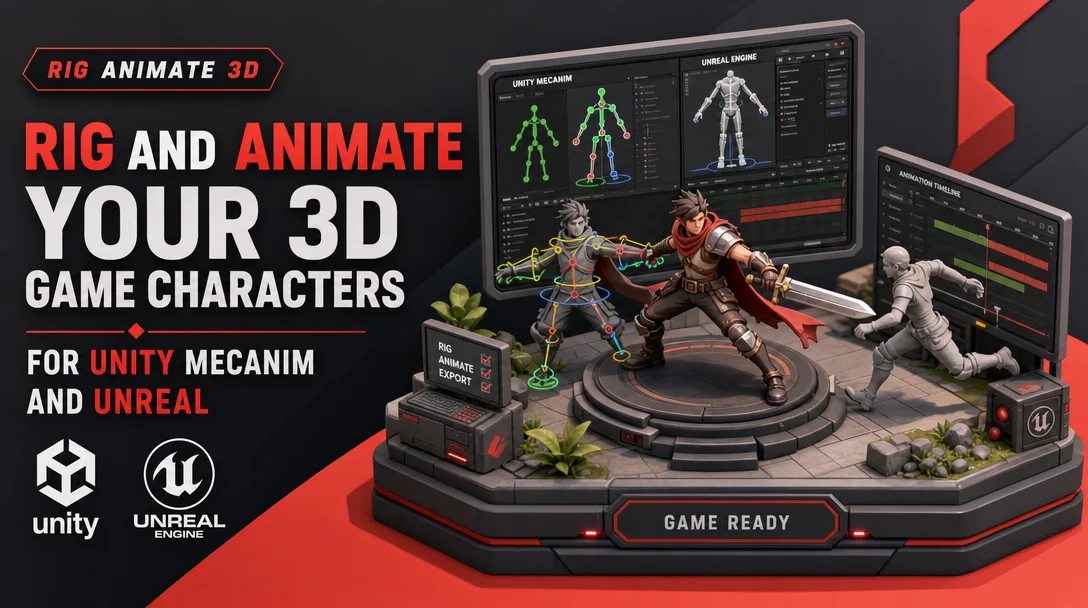
I will rig and animate your 3D game characters for Unity Mecanim and Unreal
About this gig
I rig and animate 3D game characters that drop straight into Unity Mecanim and Unreal Engine, with clean skinning, retarget-ready skeletons, and game-ready animation sets.
What you get
If your character mesh is sitting in your project but won't move, deform cleanly, or play nice with your animation system, that's exactly what I fix. I take a static 3D model and turn it into a fully functional, engine-ready asset.
- A complete deformation skeleton built to your engine's conventions: humanoid joint hierarchy for Unity Mecanim Avatar mapping, or an Epic-skeleton-compatible bone layout for Unreal so your character can share Marketplace and Mixamo animation libraries.
- Clean, weight-painted skinning with smooth deformation at the shoulders, hips, elbows, knees, neck, and wrists, tested through extreme poses so you don't get candy-wrapper twists or volume collapse.
- A production rig with IK/FK on arms and legs, foot roll, a working reverse-foot setup, spine and neck controls, finger controls, and a global/root control for in-place vs. root-motion workflows.
- Facial setup on request: blendshape/morph-target driven expressions and visemes, or a joint-based face rig if you prefer driving the face from bones.
- Game-ready animation clips authored on the rig and baked to the skeleton: idle, walk, run, jump (start/loop/land), turn-in-place, and combat or interaction actions as your tier and brief require.
- Correctly configured root motion or in-place locomotion, with the root/pelvis handled so your character controller and animation blending behave predictably.
- Exported FBX files with baked joint animation, named tracks, and a sensible scale/axis so the import is a non-event.
- A short import note covering Avatar configuration in Unity (or the IK Rig / retarget setup in Unreal UE5) so your team can wire it up in minutes.
Everything is delivered tested inside the target engine, not just rendered in a DCC viewport. A rig that looks fine in Blender or Maya but breaks on import helps nobody, so I close the loop in Unity or Unreal before I call it done.
Plans
| Feature | Basic | Standard | Premium |
|---|---|---|---|
| Engine-ready skeleton (Mecanim humanoid or Epic-compatible) | Yes | Yes | Yes |
| Skin weighting + deformation pass | Body | Body + hands | Body + hands + face |
| Control rig (IK/FK, foot roll, root control) | Basic | Full | Full + facial |
| Facial blendshapes / morph targets | — | Optional add-on | Included |
| Authored animation clips | Locomotion core (idle/walk/run) | Locomotion + jump + turns | Full set + actions/combat |
| Root motion setup | — | Yes | Yes |
| In-engine import test | Yes | Yes | Yes |
| Revisions | Standard | Generous | Priority |
| Source rig file delivered | — | On request | Yes |
If your needs sit between tiers, tell me what the character has to do in-game and I'll quote a setup that matches, rather than pushing you into a package that's too big or too small.
How it works
- You send me the character mesh (FBX, OBJ, or your DCC scene), reference images or a turntable, and the target engine and version (Unity Mecanim, Unreal UE4, or UE5).
- We confirm scope: which animations you need, in-place vs. root motion, whether the face needs to move, and which existing animation libraries you want the skeleton to be compatible with.
- I clean and check the mesh topology where rigging is affected, then build the skeleton to the chosen engine's bone convention.
- I skin and weight-paint the mesh, then stress-test deformation through full ranges of motion and fix problem areas before any animation starts.
- I build the control rig and author the agreed animation clips, keeping timing and weight readable at game speed.
- I bake to the skeleton, export FBX, and import into a clean Unity or Unreal test project to verify the Avatar/retarget, deformation, and playback.
- You review against the brief, request revisions, and I deliver final files plus the import note.
Why choose this
Rigging is the step where game characters quietly go wrong. Bone names that don't map to Mecanim's Humanoid Avatar, a skeleton that can't retarget Epic animations, weights that look fine in a T-pose but explode in a crouch, a root that fights your character controller. I build with those exact failure points in mind, because the goal isn't a pretty rig screenshot, it's a character that animates correctly in your actual project.
I also keep the rig honest about scope. A mobile NPC doesn't need a film-grade facial system, and a hero character shouldn't ship with five-bone hands. I match the setup to how the character is used so you're not paying for complexity you'll never touch, or discovering a missing control halfway through production.
Who it's for / use cases
- Indie and small-studio devs who have great-looking models but no rigging pipeline in-house.
- Teams standardizing on the Mecanim Humanoid system who want characters that share one animator controller and reuse the same clip library.
- Unreal projects that want characters compatible with the Epic skeleton so they can retarget Marketplace and Mixamo animations.
- Asset creators preparing rigged, animated characters for sale or for client handoff.
- Prototypes and game jams that need a controllable character moving in-engine quickly, plus full productions that need a robust, revision-friendly rig.
- Replacing or repairing an existing rig that deforms badly, won't retarget, or breaks on import.
FAQ
Q: Will the character work with Unity's Mecanim Humanoid system? Yes. For Mecanim I build a humanoid-compatible joint hierarchy so the Avatar maps cleanly, which lets you reuse humanoid animations and retarget across characters. I confirm the Avatar configures without errors during the in-engine test.
Q: Can it use Epic skeleton and Mixamo/Marketplace animations in Unreal? Yes. I can build to an Epic-skeleton-compatible layout so you can retarget Marketplace, Mixamo, and other humanoid libraries via Unreal's IK Rig / retargeter. Tell me your UE version so I set up the right workflow.
Q: Do you provide root motion or in-place animation? Both. I configure the root/pelvis depending on whether your character controller drives movement (in-place) or the animation drives it (root motion). If you're unsure which you need, describe your movement code and I'll recommend one.
Q: Can you rig non-humanoid characters like creatures or quadrupeds? Yes, though non-humanoid rigs fall outside the standard humanoid retarget flow and are scoped per project. Send reference and a description of how it moves and I'll outline the skeleton and controls it needs.
Q: What files do I need to send you? The character mesh as FBX, OBJ, or a native DCC file, plus reference images or a turntable, the target engine and version, and a list of the animations and behaviors you need. UV-mapped and reasonably clean topology helps the skinning go smoothly.
Q: Do you fix existing rigs, or only build from scratch? Both. I regularly repair skinning, remap bone hierarchies for Mecanim or Epic compatibility, and re-bake animation. Send the current file and describe what's breaking and I'll tell you whether a repair or a rebuild is the better path.
Q: How do revisions work? After delivery you review against the agreed brief and flag deformation issues, control changes, or animation timing notes. Revision rounds scale with your tier; clearly described feedback gets turned around fastest.
Q: Will the rig deform cleanly in extreme poses? That's the whole point of the deformation pass. I stress-test shoulders, hips, knees, elbows, and the spine through full ranges and fix pinching or volume loss before animation begins, so combat and acrobatic moves hold up.
Reviews★0(0)
No reviews yet — be the first after your purchase.