I will build a Slack or Discord AI assistant bot connected to your internal tools
About this gig
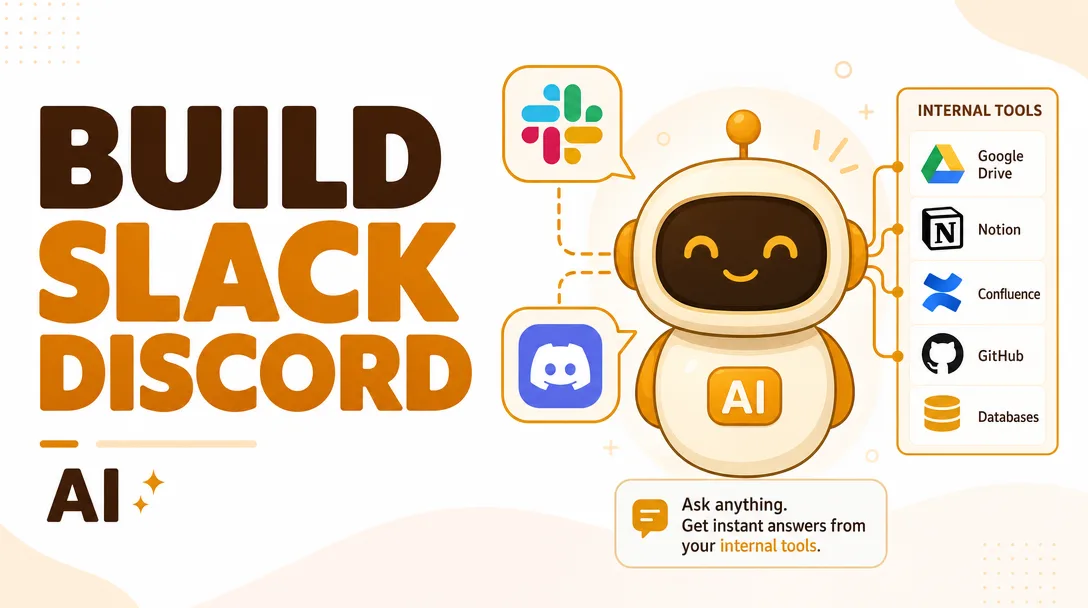
I will build a Slack or Discord AI assistant bot that connects to your internal tools, answers questions from your real data, and runs actions your team performs every day.
Stop tab-switching between five dashboards to answer one question. I build a custom AI assistant that lives inside the Slack or Discord channels your team already works in, understands plain-language requests, and pulls answers (or triggers actions) directly from your own systems.
What you get
This is a hands-on build, not a template you fork yourself. By the end you receive a working, deployed bot wired to your environment:
- A Slack app (slash commands, mentions, message shortcuts, optional Home tab) or a Discord bot (slash commands, mentions, threads) — your choice, configured against your workspace.
- LLM-powered natural-language understanding so teammates ask things like "what's the status of order 4821?" or "summarize this week's support tickets" and get a real answer instead of a keyword search.
- Connections to your internal tools — typically a database (Postgres, MySQL, MongoDB), a REST/GraphQL API, or SaaS platforms like Notion, Linear, Jira, HubSpot, Zendesk, Google Sheets, Airtable, or an internal admin endpoint. Up to the number of integrations in your chosen plan.
- Retrieval over your own content when you need it: I can index your docs, wiki, or knowledge base into a vector store so the bot answers from your material and cites where the answer came from, reducing made-up responses.
- Action tools, not just answers (Standard and up): the bot can do things — create a ticket, update a record, kick off a webhook, post a daily digest — with guardrails so it only runs what you've approved.
- Conversation memory within a thread so follow-up questions ("and the one before that?") keep context.
- Access control: restrict commands to specific channels, roles, or users, so sensitive actions stay with the right people.
- Secure secret handling — API keys and tokens stored in environment variables or a secrets manager, never hard-coded or exposed in chat.
- Deployment to your hosting (your cloud account, a container, or a serverless runtime) plus a short Loom walkthrough and a written README covering setup, env vars, and how to extend it.
- Clean, commented source code handed over to you. You own it outright.
Plans
| Feature | Basic | Standard | Premium |
|---|---|---|---|
| Platform (Slack or Discord) | ✓ | ✓ | ✓ |
| Slash commands & mentions | ✓ | ✓ | ✓ |
| LLM Q&A in natural language | ✓ | ✓ | ✓ |
| Internal tool / data connections | 1 | Up to 3 | Up to 6 |
| Action tools (create/update/trigger) | — | ✓ | ✓ (advanced + approvals) |
| Knowledge-base retrieval (RAG) | — | Optional | ✓ |
| Role / channel access control | Basic | ✓ | ✓ (granular) |
| Conversation memory | — | Per-thread | Per-thread + per-user |
| Deployment to your hosting | ✓ | ✓ | ✓ |
| Source code + docs handover | ✓ | ✓ | ✓ |
| Revisions | 1 | 2 | 3 |
| Post-delivery support window | Short | Standard | Extended |
Not sure which fits? Send me your use case and I'll tell you honestly which tier covers it — I won't upsell you into a plan you don't need.
How it works
- Discovery call or brief. You tell me what the bot should do, which platform (Slack or Discord), and which systems it needs to reach. I ask the awkward-but-necessary questions about auth, data sensitivity, and who's allowed to do what.
- Scope and confirmation. I write back a short spec: exact commands, the integrations involved, what the bot can and can't do, and the plan it fits. We lock this before any code is written so there are no surprises.
- Access setup. You provision the credentials — a bot token, API keys, a read-only DB user, or a sandbox to test against. I'll give you a precise checklist so this takes minutes, not days.
- Build. I develop the bot, wire up each integration, add the LLM layer and any retrieval or action tools, and test against real-ish data.
- Review. You get a working bot in a test channel plus a walkthrough. You try it, I refine based on the revisions in your plan.
- Deploy and handover. I ship it to your hosting, hand over the code, README, and video, and stay available through your support window for fixes and questions.
Why choose this
I build the whole thing end to end — chat platform, LLM orchestration, and the messy integration work — so you're not stitching together three contractors. I write production-minded code: errors are handled, rate limits respected, secrets kept out of logs, and the bot degrades gracefully when an upstream API is down instead of spamming your channel. I'm honest about limits: if a request is genuinely out of scope or a system can't be reached safely, I'll tell you before you pay, not after. And you keep the code — no lock-in to a proprietary platform or a per-seat subscription I control.
Who it's for / use cases
- Support teams that want to ask "any open P1 tickets?" or auto-post a daily support digest without leaving Slack.
- Engineering teams querying deploy status, on-call, or Linear/Jira issues from a Discord channel.
- Ops and sales pulling a customer record, order status, or HubSpot deal stage on demand.
- Internal knowledge — a bot that answers from your handbook, runbooks, or wiki and links the source.
- Founders and small teams who want one assistant that ties their scattered tools together without hiring a full-time dev.
- Communities running a Discord that needs a smart helper for FAQs, moderation hooks, or member lookups.
FAQ
Q: Slack or Discord — can the bot do both? Each build targets one platform so it's tuned properly. If you need the same logic on both, I can quote that as an add-on since most of the core code is reusable.
Q: Which internal tools can you connect to? Anything with an API or a database connection: Postgres, MySQL, MongoDB, REST/GraphQL endpoints, and SaaS tools like Notion, Linear, Jira, HubSpot, Zendesk, Airtable, Google Sheets, and internal admin APIs. If you're unsure about a specific one, ask before ordering.
Q: Is my data safe? Yes. Credentials live in environment variables or a secrets manager, never in code or chat. I can use read-only database access where actions aren't needed, and I'll route data only to the LLM provider you approve. We'll agree on exactly what the bot can touch during scoping.
Q: Which AI model does it use? Whichever you prefer — I'll recommend a model that balances quality and cost for your use case, and you supply (or I help you set up) the provider key. The bot is built so the model can be swapped later without rewriting it.
Q: Will the bot make things up? I reduce that by grounding answers in your actual data and, when you use retrieval, having it cite sources and say "I don't know" rather than guess. No LLM is perfect, so for high-stakes actions I add a confirmation step.
Q: Do I own the code? Completely. I hand over clean, commented source plus a README, and you can host, modify, or extend it however you like.
Q: What do you need from me to start? The platform choice, a clear description of the commands you want, and access to the systems involved (tokens, API keys, or a test account). I'll send a short checklist so setup is quick.
Q: What happens after delivery? Every plan includes a support window for bug fixes and questions, with longer coverage on higher tiers. Need ongoing features added later? I'm happy to continue on a separate arrangement.
Reviews★0(0)
No reviews yet — be the first after your purchase.