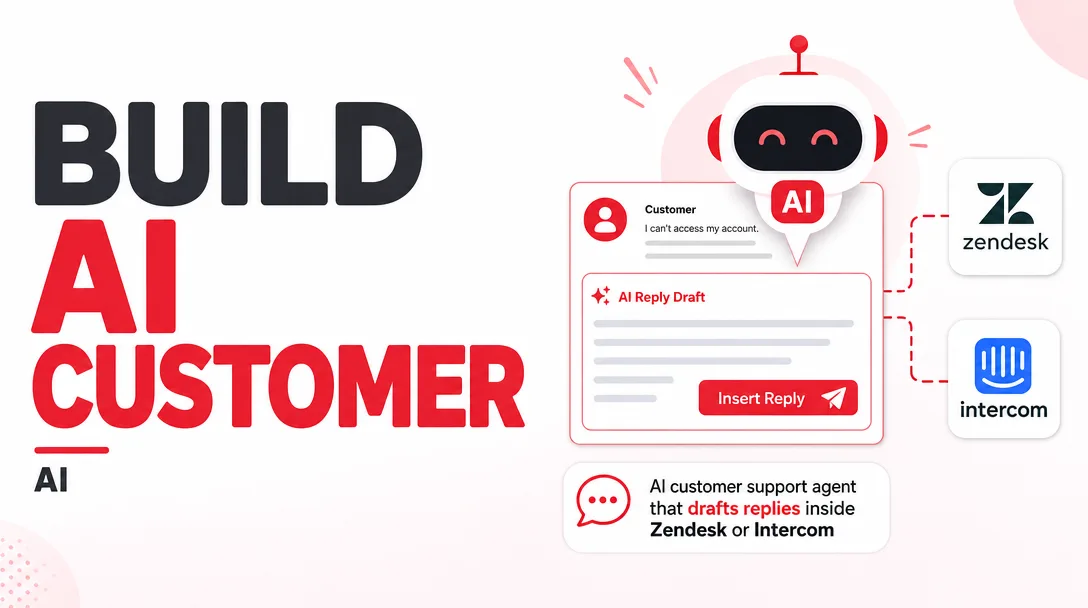
I will build an AI customer support agent that drafts replies inside Zendesk or Intercom
About this gig
I will build an AI customer support agent that drafts replies inside Zendesk or Intercom, so your team approves answers in seconds instead of writing them from scratch.
Support volume keeps climbing, but hiring does not scale the same way. I build an AI agent that lives directly inside your existing Zendesk or Intercom workspace and writes a ready-to-send draft for every incoming conversation, grounded in your real help center, macros, and past replies. Your agents stay in control: nothing goes out without a human clicking send, unless you explicitly decide otherwise later. The result is faster first responses, more consistent tone, and far less time spent on repetitive tickets.
What you get
- A working AI draft-reply agent connected to your live Zendesk or Intercom instance (your account, your data, your keys).
- Retrieval over your real knowledge sources: help center / knowledge base articles, existing macros or saved replies, and a sample of historical resolved tickets so answers match how your team actually talks.
- Draft replies that appear as an internal note or pre-filled reply box on incoming tickets and conversations, ready for an agent to review, edit, and send.
- Tone and style tuning so drafts sound like your brand, not like a generic chatbot. I calibrate against examples of your best past responses.
- Guardrails: the agent flags when it is unsure, abstains rather than inventing policy, and routes sensitive topics (refunds, legal, account security, cancellations) to a human instead of guessing.
- Configurable triggers so drafting only fires where you want it: specific brands, groups, tags, inboxes, or business hours.
- A short admin guide covering how the agent decides what to draft, how to update its knowledge, how to adjust tone, and how to pause it.
- A handover call walking your team through the setup, plus the prompt and configuration so you fully own the system.
Plans
| Feature | Basic | Standard | Premium |
|---|---|---|---|
| Platform | Zendesk or Intercom | Zendesk or Intercom | Zendesk or Intercom |
| Knowledge sources connected | Help center | Help center + macros | Help center + macros + historical tickets |
| Draft replies on incoming tickets | Yes | Yes | Yes |
| Tone / brand voice tuning | Basic | Tuned to samples | Deeply tuned + per-segment |
| Routing & abstain guardrails | Standard | Standard | Custom rules |
| Trigger targeting (tags, groups, hours) | Single rule | Multiple rules | Full ruleset |
| Languages | 1 | Up to 2 | Multiple |
| Admin guide | Yes | Yes | Yes |
| Handover / training call | — | 30 min | 60 min |
| Post-launch tuning window | — | 1 round | 2 rounds |
| Revisions | 1 | 2 | 3 |
How it works
- Discovery. We confirm your platform (Zendesk or Intercom), your top ticket types, the topics that should never be auto-drafted, and what "good" looks like for your team.
- Access. You provision a scoped API connection or app install in your own account. I never need your customer database exported; the agent reads what your platform already exposes.
- Knowledge ingestion. I connect your help center, pull in your macros, and (on Standard/Premium) sample historical resolved tickets to ground the agent in your real answers.
- Build & tone calibration. I assemble the drafting logic, write and tune the prompts against your example replies, and set up the triggers that decide when a draft is created.
- Guardrail setup. I configure abstain and routing rules so the agent escalates rather than fabricates on sensitive or low-confidence cases.
- Test pass. We run the agent against a batch of real or recent tickets, review the drafts together, and tighten anything that feels off.
- Launch. We enable drafting on your chosen inboxes. Drafts appear for agent review; humans approve and send.
- Tuning. During the post-launch window I adjust prompts, knowledge, and triggers based on what your team sees in production.
Why choose this
I focus on draft-and-approve, not lights-out automation, because that is what actually survives contact with real customers. Agents keep judgment and accountability; the AI removes the blank-page tax. Everything runs inside the tools your team already opens every day, so there is no new dashboard to learn and no parallel inbox to babysit. I ground every answer in your own content, so the agent reflects your policies instead of guessing, and I build in honest abstention so it says "escalate this" rather than inventing a refund policy. You leave with the full configuration and prompts, so you are never locked into me to make a change.
Who it's for / use cases
- Growing support teams drowning in repetitive how-to and account questions who want faster first replies without adding headcount.
- SaaS and ecommerce brands on Zendesk or Intercom with a solid help center that is underused because agents still type everything by hand.
- Lean startups where founders or a small team handle support and need leverage on volume.
- Teams standardizing tone across many agents who want consistent, on-brand answers regardless of who is on shift.
- Operations leads piloting AI in support who need a safe, human-in-the-loop entry point before considering deeper automation.
- Common use cases: drafting answers to FAQ-style tickets, suggesting the right macro, summarizing long threads before a reply, and pre-filling responses for new or junior agents.
FAQ
Q: Will the AI send replies to customers automatically? No. By default every reply is a draft that a human reviews, edits, and sends. Keeping a person in the loop is the whole point. If you later want selective auto-send for narrow, high-confidence cases, that can be discussed separately, but it is not the default.
Q: Do you support both Zendesk and Intercom? Yes, I build for either one. Each project targets a single platform, since the integration details differ. Tell me which you use and I will tailor the setup to it.
Q: Where does the agent get its answers? From your own content: your help center articles, your macros or saved replies, and a sample of your resolved tickets. It is grounded in your material so it reflects your actual policies and voice, not generic internet knowledge.
Q: What happens when it does not know the answer? It abstains or escalates instead of guessing. I configure topics (refunds, security, legal, cancellations, and anything you flag) to route to a human, and the agent surfaces low-confidence cases rather than fabricating a response.
Q: Is my customer data safe? The agent runs in your own account using scoped access you control. I work with the data your platform already exposes for drafting and do not need a separate export of your customer database. You can revoke access at any time.
Q: Can it handle more than one language? Basic covers a single language. Standard supports up to two, and Premium handles multiple languages with tone tuning per language so drafts read naturally in each.
Q: What do you need from me to start? Your platform choice, scoped access to your workspace, a link to your help center, and a handful of example replies that represent your ideal tone. The richer the examples, the better the drafts.
Q: What if the drafts are not good enough at launch? That is what the tuning window is for. On Standard and Premium I refine prompts, knowledge, and triggers based on real drafts your team reviews, so quality improves with your actual ticket mix rather than a one-and-done handoff.
Reviews★0(0)
No reviews yet — be the first after your purchase.