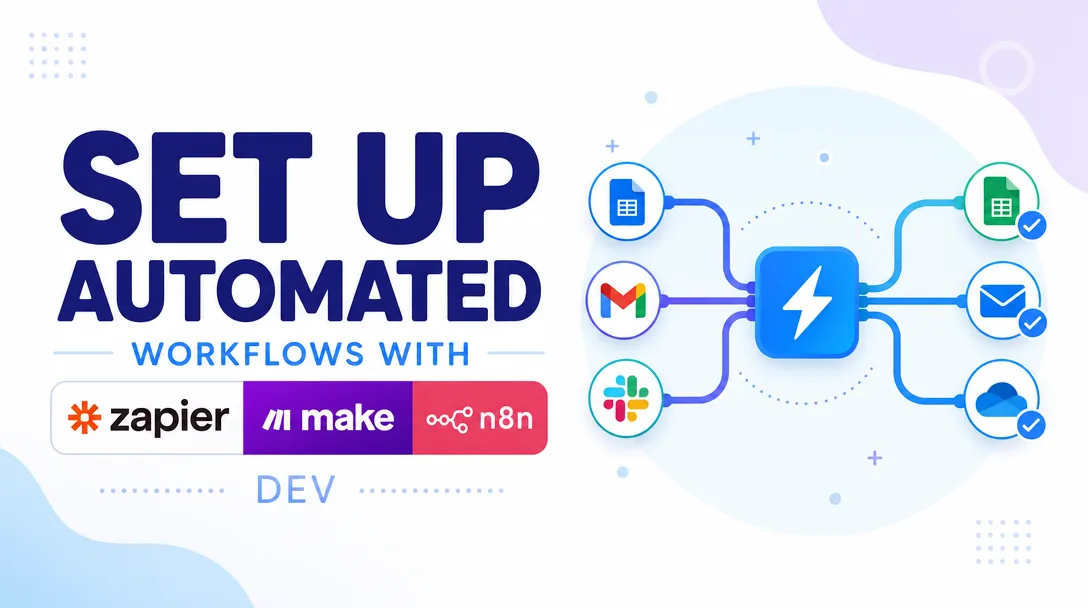
I will set up automated workflows with Zapier, Make and n8n
About this gig
I will set up automated workflows with Zapier, Make and n8n that connect your apps, move your data, and run the repetitive tasks you currently do by hand.
If you keep copy-pasting between tools, chasing leads manually, or re-typing the same data into five places, this is exactly what I fix. I build reliable, well-documented automations on Zapier, Make (formerly Integromat) and n8n so your stack runs itself while you focus on real work.
What you get
- A working, tested automation (or set of automations) built on the platform that fits you best: Zapier, Make, or n8n (self-hosted or cloud)
- A clear trigger-to-action flow connecting your apps: forms, CRMs, email, Slack, Google Sheets, Airtable, Notion, Stripe, calendars, databases, webhooks, and thousands of other services
- Proper data mapping and field formatting so the right information lands in the right place every time
- Filters, paths, and conditional logic so actions only fire when they should (no spam, no duplicates)
- Error handling and fallback steps where the platform allows, so a single hiccup does not silently break the whole flow
- Data transformation: text formatting, date/number parsing, lookups, array handling, and light custom code (JavaScript or Python) when a no-code step is not enough
- Webhook and API integrations for apps that do not have a native connector, including authentication setup
- A short walkthrough document or recorded video explaining how the automation works, how to monitor it, and how to turn it off or pause it
- Test runs with your real (or sample) data to confirm everything fires correctly before handover
- Clean, named, organized scenarios/zaps so you (or your team) can read and maintain them later
Plans
| Plan | Scope | What's included |
|---|---|---|
| Basic | One simple automation | A single trigger-to-action workflow on your chosen platform (e.g. form submission to Google Sheet plus email notification). Up to ~2 connected apps, basic field mapping, one test run, and setup notes. |
| Standard | Multi-step workflow | One automation with multiple steps, filters, and conditional logic across several apps. Includes data formatting, basic error handling, deduplication where needed, testing with your data, and a short walkthrough doc. |
| Premium | Multi-scenario build | Several connected automations or one advanced workflow with branching paths, webhooks/API calls, custom code steps, robust error handling, and a recorded video walkthrough plus documentation for your team. |
Not sure which tier fits? Send me your current process and the apps involved, and I will tell you honestly what is realistic and which plan covers it.
How it works
- You message me with what you want automated: the apps involved, the trigger ("when X happens"), and the result ("then do Y"). Screenshots or a quick screen recording of your current manual process help a lot.
- I confirm scope, recommend the best platform (Zapier for speed and breadth, Make for visual multi-step logic, n8n for self-hosted control and cost efficiency), and flag anything that may need API access, paid app tiers, or specific permissions.
- You grant access to the relevant accounts, or add me as a limited collaborator, or provide API keys/connections so I can build safely. I will tell you exactly what access each step needs and why.
- I build the workflow in your account (or a shared/test environment first, then migrate), mapping every field and adding the logic, filters, and formatting required.
- I run real tests with sample or live data and fix anything that misbehaves until the flow is reliable end to end.
- I hand over with a walkthrough doc or video, confirm you can see the data flowing, and answer your questions. Then you approve.
Why choose this
I work across all three major platforms instead of forcing your problem onto one tool. That means I recommend what actually fits your budget, technical comfort, and data privacy needs rather than what I happen to know. Native connectors are great until they are not, so I am comfortable dropping down to webhooks, raw HTTP requests, and custom JavaScript or Python steps when a workflow needs more than drag-and-drop allows.
I also build for the person who inherits the automation. Scenarios are named clearly, steps are organized logically, and you get documentation so the workflow is not a black box that only I understand. If something breaks six months from now, you will be able to read it. I test before handover, I am honest about what a platform can and cannot do, and I will tell you upfront if a request needs a paid plan or an app that simply does not expose the data you want.
Who it's for / use cases
This is for founders, marketers, agencies, operations teams, e-commerce sellers, freelancers, and small businesses drowning in manual, repetitive tasks. Common builds include:
- Lead capture: form or ad submissions routed into your CRM, spreadsheet, and Slack instantly, with notifications to the right person
- Sales and CRM sync: keeping contacts, deals, and statuses consistent across HubSpot, Pipedrive, Airtable, and email tools
- E-commerce: pushing Stripe, Shopify, or WooCommerce orders into accounting, fulfillment, or customer-update flows
- Internal notifications: alerting your team in Slack, Discord, Teams, or email when something important happens
- Data plumbing: syncing Google Sheets, Airtable, Notion, and databases so numbers match everywhere
- Content and social: scheduling, cross-posting, and logging content across platforms
- Onboarding and admin: automatically creating documents, sending welcome sequences, and updating records when a new client signs up
If your task involves "when this happens in one app, do that in another," it is almost certainly something I can automate.
FAQ
Q: Which platform should I use, Zapier, Make, or n8n? It depends on your goals. Zapier is the fastest to set up with the widest app library. Make is excellent for visual, multi-step logic and tends to be more cost-efficient at scale. n8n is ideal if you want self-hosting, full control, or to avoid per-task pricing. Tell me your situation and I will recommend the right one.
Q: Do I need a paid plan on these platforms? Sometimes. Many workflows run on free tiers, but multi-step automations, premium connectors, or higher task volumes may require a paid subscription on the platform or on a connected app. I will tell you before building so there are no surprises.
Q: Do you need access to my accounts? Yes, to build in your environment I need either collaborator access, login access, or API keys/connections for the apps involved. I only request what each step requires, and you can revoke access after handover.
Q: Can you connect an app that has no native integration? Usually, yes. If the app offers an API or webhooks, I can connect it using HTTP requests and custom authentication. If an app has no API and no webhook support at all, automation may not be possible, and I will tell you honestly.
Q: Will this break if my apps update? Automations are generally stable, but connected apps occasionally change their APIs or connectors. I build with error handling where possible and document how to monitor your flows so you can catch issues early. Ongoing maintenance can be arranged separately.
Q: Can you fix or improve an automation I already built? Yes. Send me your existing zap or scenario and tell me what is wrong or what you want it to do. I can debug, optimize, and extend existing workflows as well as build new ones.
Q: How do I know it actually works before I rely on it? I test every workflow with sample or live data before handover and walk you through a successful run. You will see the data move through the flow yourself, so you are confident it works before you depend on it.
Q: What do you need from me to start? A clear description of the trigger and the desired result, the list of apps involved, and access (or a plan to grant it). Screenshots or a short recording of how you do the task manually today make everything faster and more accurate.
Reviews★0(0)
No reviews yet — be the first after your purchase.