I will run a full marketing analytics audit and build a Looker Studio KPI dashboard
About this gig
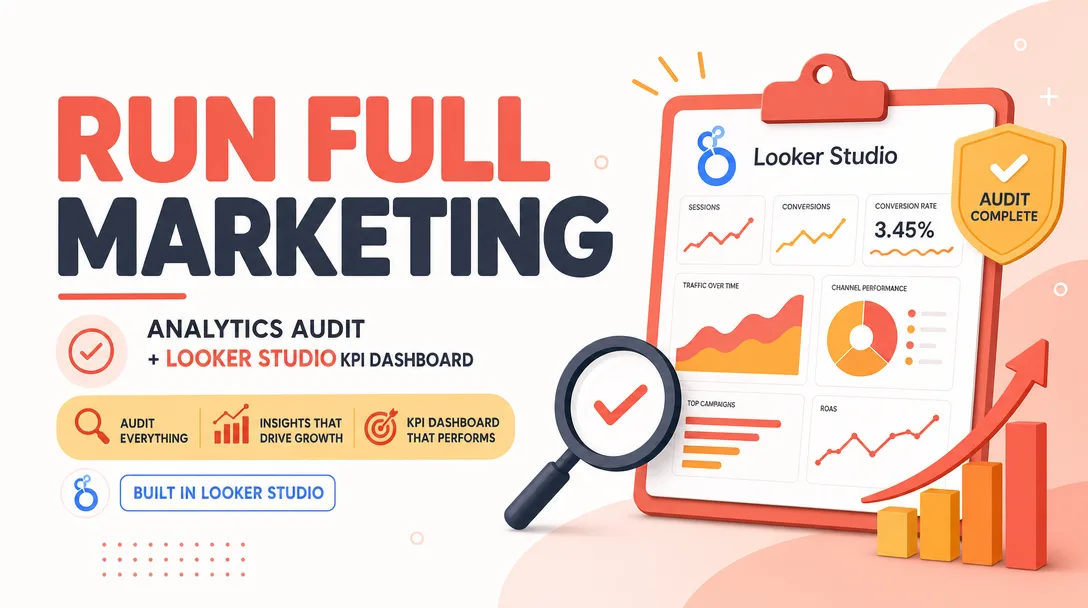
I will run a full marketing analytics audit and build you a clean, decision-ready Looker Studio KPI dashboard so you finally trust your numbers and know what to do next.
If your marketing reports feel scattered, contradictory, or impossible to act on, this fixes the root cause. I audit how your data is collected and tagged, repair the tracking gaps, then design a single Looker Studio dashboard that turns raw numbers into clear answers.
What you get
- A documented analytics audit covering your tracking setup: Google Analytics 4 configuration, Google Tag Manager containers, conversion/event definitions, UTM tagging hygiene, and channel attribution.
- A written findings report listing every issue found (broken events, duplicate tags, missing conversions, mis-bucketed traffic, self-referrals, bot/internal traffic) ranked by impact, with a plain-English fix for each.
- A live, interactive Looker Studio dashboard connected directly to your data sources so it refreshes on its own — no manual exports, no copy-paste spreadsheets.
- KPI scorecards for the metrics that actually matter to you: sessions, users, conversions, conversion rate, cost per acquisition, ROAS, revenue, channel performance, and campaign-level results.
- Trend and comparison views (period-over-period, year-over-year) so you can see whether things are improving, not just where they stand today.
- Channel and campaign breakdowns for organic, paid search, paid social, email, referral, and direct — each with drill-down by source/medium and campaign.
- Date-range controls and filters so anyone on your team can slice the data without touching the setup.
- A short Loom walkthrough video explaining how the dashboard is built, where each number comes from, and how to read it.
- A fixes summary documenting exactly what I changed in your tracking, so your setup stays maintainable after handoff.
This is a hands-on, done-for-you service. I do the work in your accounts (with access you grant), and you keep everything — the dashboard, the corrected tracking, and the documentation.
Plans
| Feature | Basic | Standard | Premium |
|---|---|---|---|
| Analytics audit + findings report | Yes | Yes | Yes |
| Data sources connected | 1 (GA4) | Up to 3 | Up to 6 |
| Dashboard pages | 1 | Up to 3 | Up to 6 |
| KPI scorecards & charts | Core set | Expanded | Full custom set |
| Channel/campaign drill-downs | Basic | Yes | Advanced |
| Tracking/event fixes implemented | — | Up to 5 | Up to 15 |
| Custom calculated metrics | — | Yes | Yes |
| Blended paid + organic view | — | — | Yes |
| Loom walkthrough video | Yes | Yes | Yes |
| Revisions | 1 | 2 | 3 |
| Delivery speed | Standard | Faster | Priority |
Tell me your goals and the channels you run, and I'll recommend the tier that fits. If your needs fall between plans, I'll quote a custom scope before we start.
How it works
- Kickoff. You share your goals, the channels and platforms you use, and grant viewer/edit access to GA4, Google Ads, and any other sources we'll connect.
- Audit. I work through your tracking setup methodically, documenting what's configured correctly and what's broken or missing.
- Findings review. I send you the findings report and we agree on which fixes are in scope for your tier.
- Fixes. I implement the agreed tracking corrections (Standard and Premium) so the data feeding your dashboard is accurate.
- Build. I design and connect the Looker Studio dashboard, structuring pages and visualizations around the KPIs you care about.
- Walkthrough. I record a Loom video explaining the build and how to read each section.
- Revisions. You review, request changes within your tier's revision count, and I refine until it's right.
- Handoff. You receive ownership of the dashboard plus all documentation.
Why choose this
I don't just build a pretty dashboard on top of broken data — that's the most common mistake I'm hired to undo. I start with the audit because a dashboard is only as honest as the tracking behind it. You get both the fix and the report, presented in language a non-analyst can act on. The dashboard is built to be maintainable: clean data sources, sensible naming, and documentation so it doesn't rot the moment I hand it over. And because it's a live Looker Studio report, it keeps working long after the project ends.
Who it's for / use cases
- Small businesses and startups that have GA4 and ad accounts but no clear view of what's working.
- Marketing managers who need one trustworthy report to bring to leadership instead of five conflicting spreadsheets.
- Agencies that want a polished client-facing KPI dashboard without burning internal hours building it.
- Ecommerce stores tracking ROAS, conversion rate, and revenue across paid and organic channels.
- Founders who suspect their numbers are wrong and want a professional second set of eyes before scaling spend.
FAQ
Q: What access do you need from me? I need viewer or editor access to the platforms we're connecting — typically GA4 and Google Ads, plus any others in your tier. For tracking fixes, I'll need edit access to Google Tag Manager and the relevant ad/analytics accounts. I'll send clear, step-by-step instructions for granting access safely.
Q: Which data sources can you connect? Looker Studio connects natively to GA4, Google Ads, Google Sheets, Search Console, YouTube, and more. Other platforms (Meta Ads, LinkedIn, TikTok, etc.) connect through partner connectors. Tell me your stack and I'll confirm what's possible before we start.
Q: Do I need to buy any tools or connectors? Looker Studio itself is free. Some third-party connectors for non-Google platforms require a paid subscription on your side. I'll flag any of those upfront so there are no surprises — they're never bundled or hidden.
Q: Will the dashboard update automatically? Yes. Because it connects directly to your live data sources, it refreshes on its own. No manual exports or rebuilding each month.
Q: Can you fix my tracking, or only report on it? Both, depending on tier. Basic delivers the audit and dashboard; Standard and Premium include implementing a set number of tracking and event fixes so your data is actually accurate going forward.
Q: What if my data is a mess and there's nothing reliable to chart? That's exactly when the audit earns its keep. I'll identify what's salvageable, fix what I can within scope, and be honest about what needs more work before certain metrics can be trusted. You'll never get a dashboard that quietly displays wrong numbers.
Q: Do I own everything afterward? Yes. The dashboard lives in your Looker Studio, the tracking fixes are in your accounts, and you keep all documentation. Nothing is locked to me.
Q: How long does it take? It depends on tier and the state of your data. After the audit I'll give you a realistic timeline. Cleaner setups move faster; heavy tracking repairs take longer, and I'll tell you which you're in early.
Reviews★0(0)
No reviews yet — be the first after your purchase.